
Let’s be brutally honest: if you are still using Anthropic’s Claude or ChatGPT like a glorified Google search box, you are rapidly falling behind. The AI landscape is dividing into two distinct camps: those who endlessly copy-paste the same context into vanilla chats, and those who treat AI as a modular, automated operating system. By utilizing structured Claude Skills, power users are quietly achieving 10x output speed without the repetitive prompt overhead. Here is my deep-dive breakdown of the game-changing workflows you need to adopt today.
1. The Anatomy of a Claude Skill: Demystifying the .md Architecture
At its core, a Claude Skill is not some black-box neural network or a complex API integration. It is a highly structured, declarative markdown (.md) file that Claude can parse, memorize, and recall instantly. Instead of feeding Claude a massive wall of system prompts every time you open a new window, you package your system instructions, formatting guardrails, and execution steps into a single markdown document.
By referencing this file using a simple slash command (e.g., /humanizer or /hookforge), Claude instantly loads the entire behavioral blueprint into its active context window. This eliminates prompt drift, reduces the cognitive load of prompt engineering, and ensures absolute consistency in output format.
As shown in the system configuration, Claude Skills are built on structured .md files, allowing the AI to parse step-by-step instructions systematically.
This architecture changes the paradigm from “chatting” to “executing.” Rather than negotiating with the LLM to get the desired formatting, you define your input parameters, execution constraints, and desired output formats in advance.
2. How to Initialize and Manage Your AI Skill Library
Setting up these workflows inside your Claude workspace is remarkably straightforward. Within your Claude interface, you can access your skills dashboard by clicking the plus icon, navigating to “Skills,” and selecting “Manage Skills.” This workspace lets you toggle individual skills on or off, edit their underlying markdown code, or create custom skills from scratch.
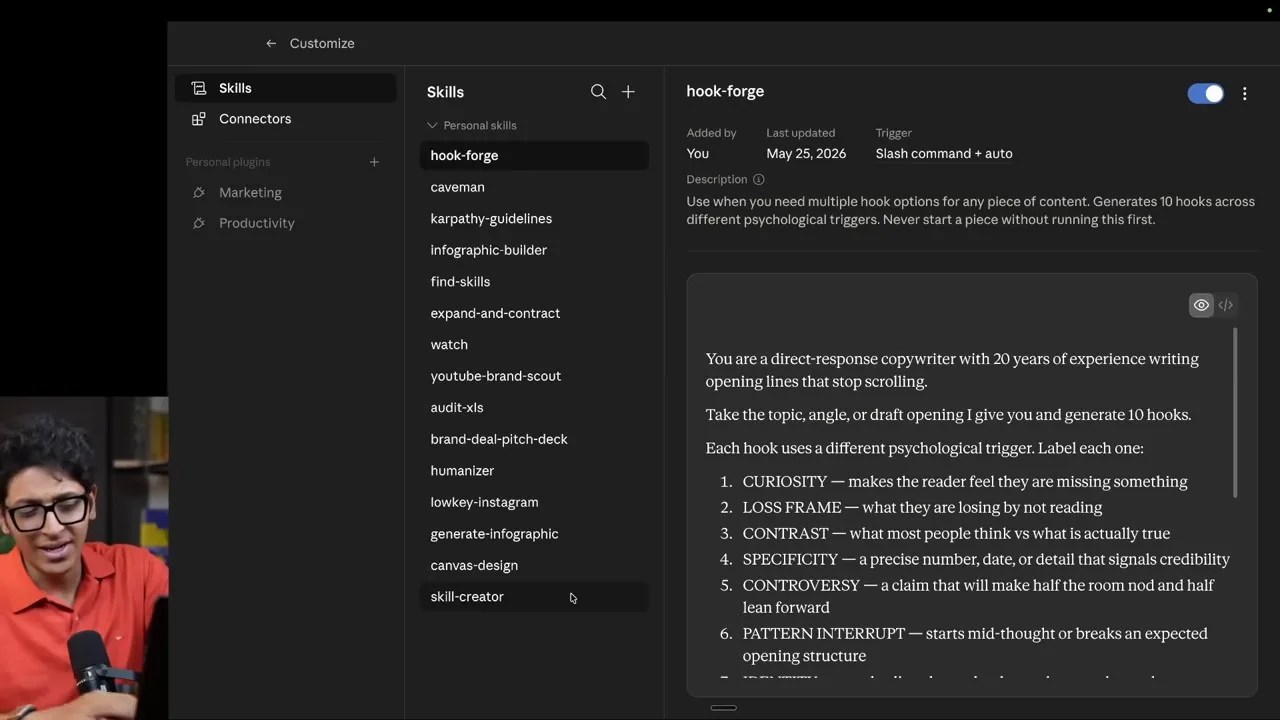
The ‘Manage Skills’ dashboard in Claude, showing the activation of the core Skill Creator tool.
The absolute best starting point for any user is the Skill Creator. This is an official Anthropic skill designed specifically to generate *other* skills. Instead of trying to write complex markdown parameters yourself, you call the Skill Creator, explain your operational goal, and let the AI draft a highly optimized, bug-free .md file for your new skill.
3. Detailed Breakdown: The 10 Essential Claude Skills
Let’s dissect the ten most powerful, production-ready Claude Skills that will completely redefine how you write, code, and strategize.
1. Skill Creator
Think of this as the meta-skill. It acts as an interactive prompt architect. When you initiate /skill-creator, Claude doesn’t just write a prompt; it interviews you. It asks targeted questions about your business operations, your technical stack, and your target audience, then outputs a perfectly formatted markdown blueprint that you can immediately save as a custom skill.
2. YouTube Brand Scout
An exceptional tool for content creators, agencies, and outbound sales teams. Instead of manually scrolling through hundreds of videos to see who is sponsoring your competitors, the YouTube Brand Scout skill parses channel transcripts, video descriptions, and visual frames to compile a comprehensive database of active sponsors from the last six months.
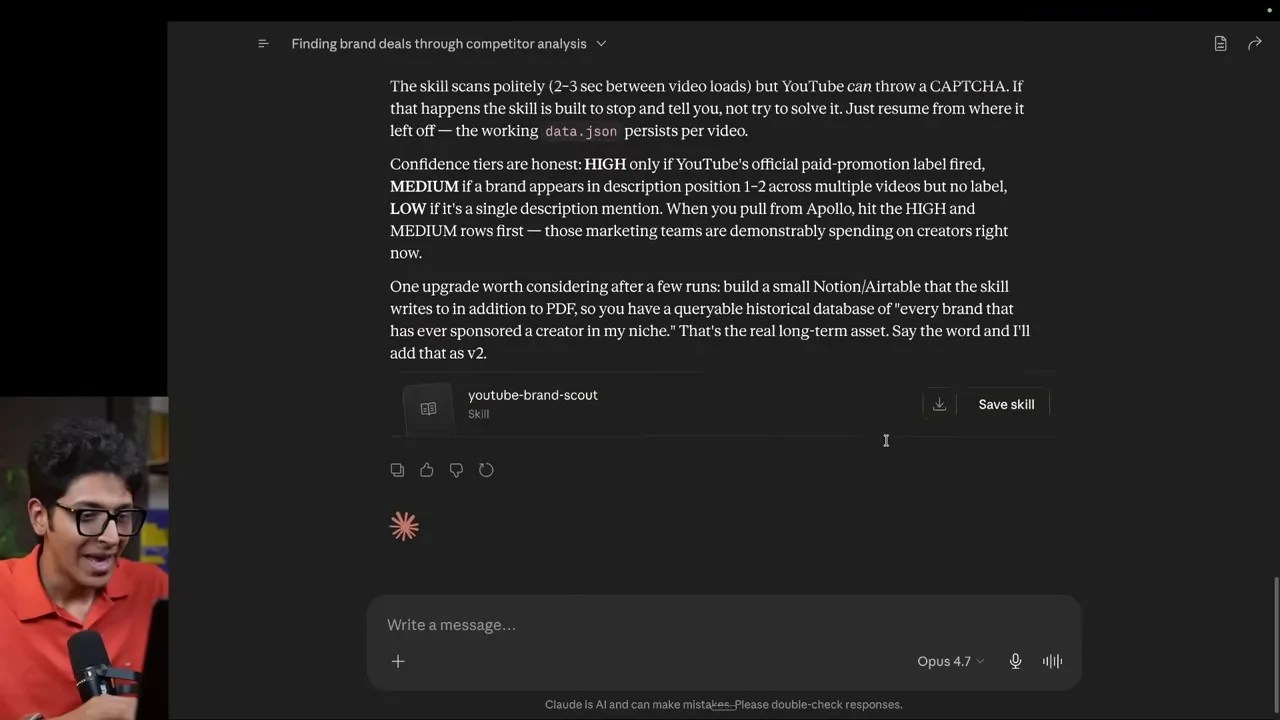
The YouTube Brand Scout skill extracting sponsor data and outbound opportunities directly within Claude.
3. Hook Forge
In the attention economy, your hook dictates 90% of your content’s performance. Hook Forge takes raw, dry ideas and runs them through proven psychological copywriting frameworks (curiosity gap, high-contrast, controversial angles, and social proof).
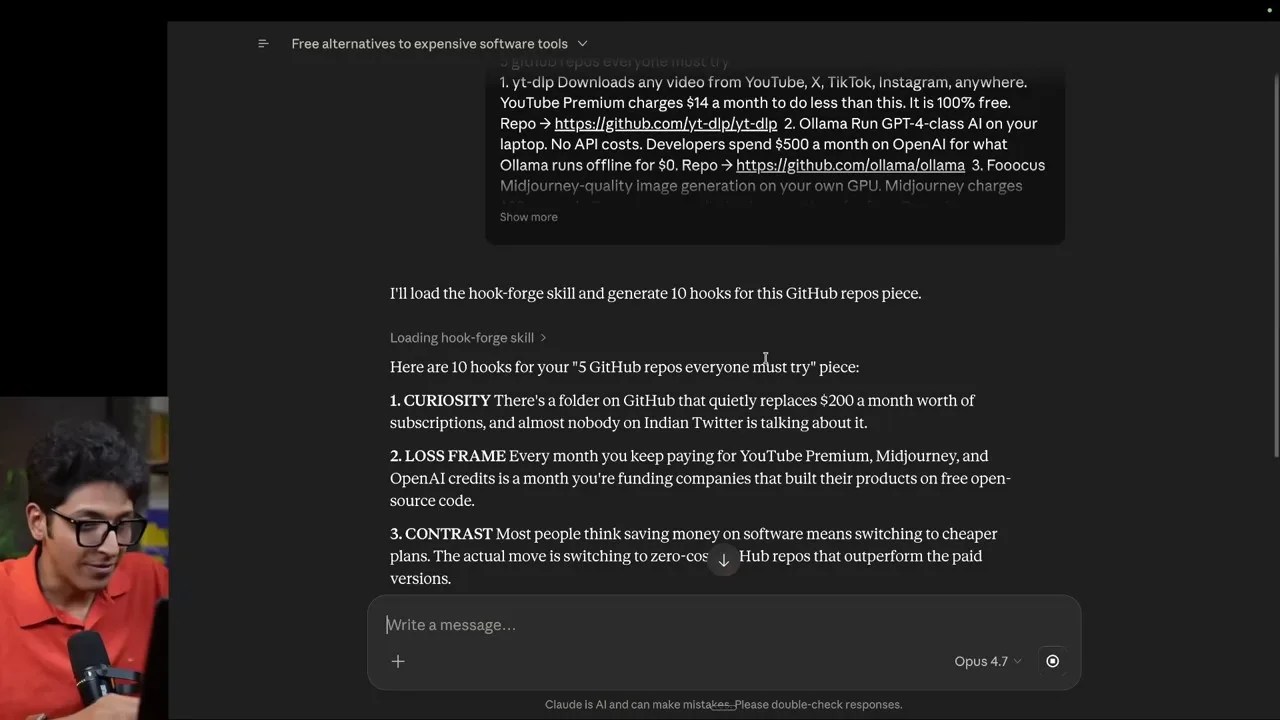
Hook Forge generating highly engaging social media hooks using distinct psychological angles.
Notice how Hook Forge avoids generic AI copywriting tropes. Instead of producing cheesy, emoji-stuffed headlines, it crafts sharp, punchy hooks like: “Paying for Midjourney in 2026 is a skill issue, not a budget decision.” This is copywriting that actually converts.
4. Remotion Video Assistant
This skill bridges the gap between text-based AI and programmatic video rendering. By leveraging the **Remotion** framework (a React-based video creation tool), this skill takes a website URL or brand asset folder and automatically structures a complete programmatic layout, rendering a high-quality, timed video trailer in minutes.
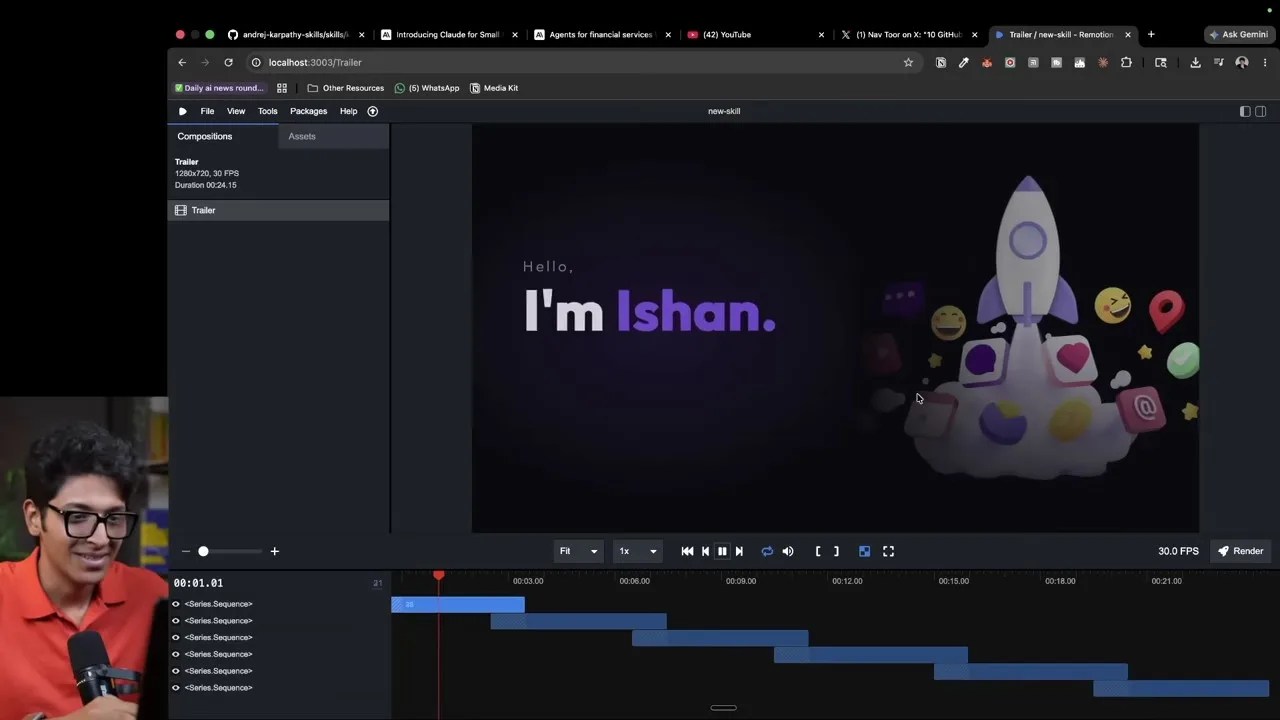
The Remotion skill organizing assets to generate a professional video trailer automatically.
5. The Humanizer
We’ve all seen generic AI-generated emails: they are bloated, littered with em-dashes, and start with “I hope this email finds you well.” The Humanizer is a highly targeted text-refinement engine. It strips away the classic markers of LLM writing, producing short, punchy, confident, and direct copy that looks like it was written by an experienced professional.
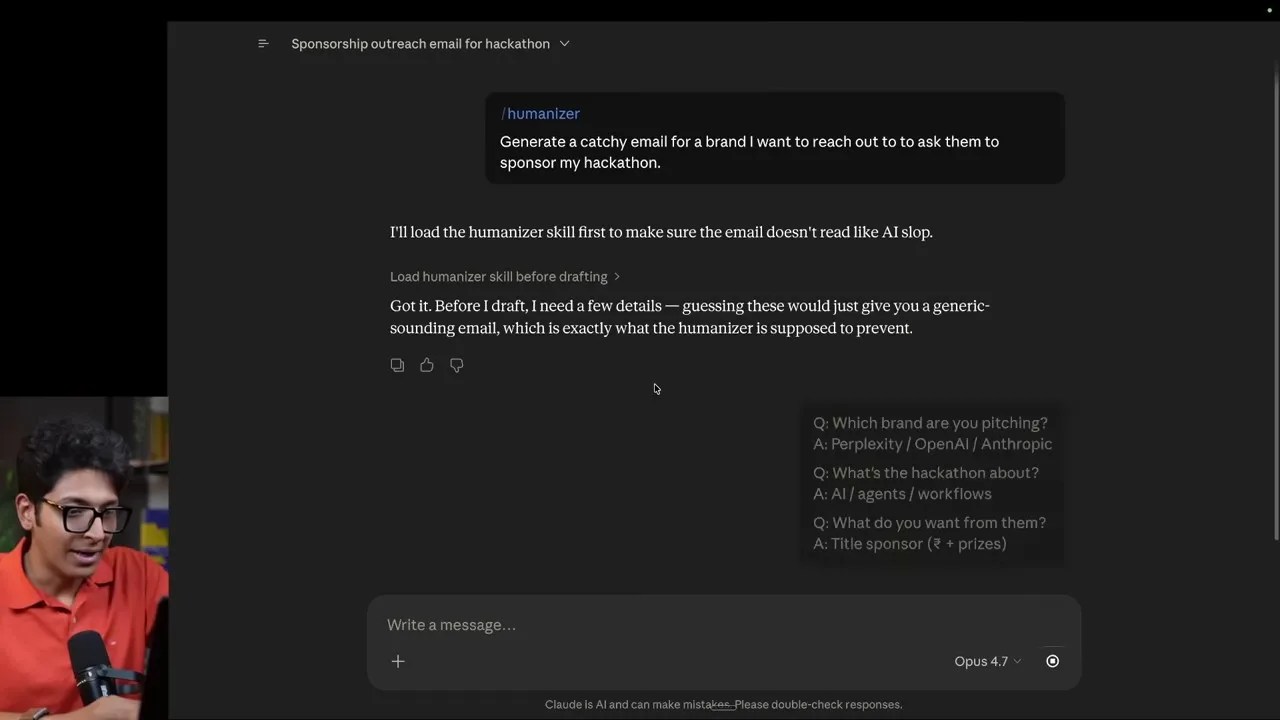
The Humanizer skill outputting direct, high-value email templates completely free of typical AI fluff.
6. Whisper Flow
Dictating your thoughts is often 5x faster than typing, but native dictation usually results in a chaotic, unformatted wall of text. Whisper Flow acts as a real-time cognitive filter. It takes messy, rambling voice transcripts, spells names correctly, restructures the logic, and formats the output into a pristine, ready-to-use prompt.
A direct comparison between chaotic native dictation and the structured, clean output generated by Whisper Flow.
7. Infographic Builder
Why read a wall of text when you can interact with a visual model? The Infographic Builder leverages Claude’s Artifacts feature to write, code, and render highly interactive, beautifully designed vector infographics directly inside the chat window.
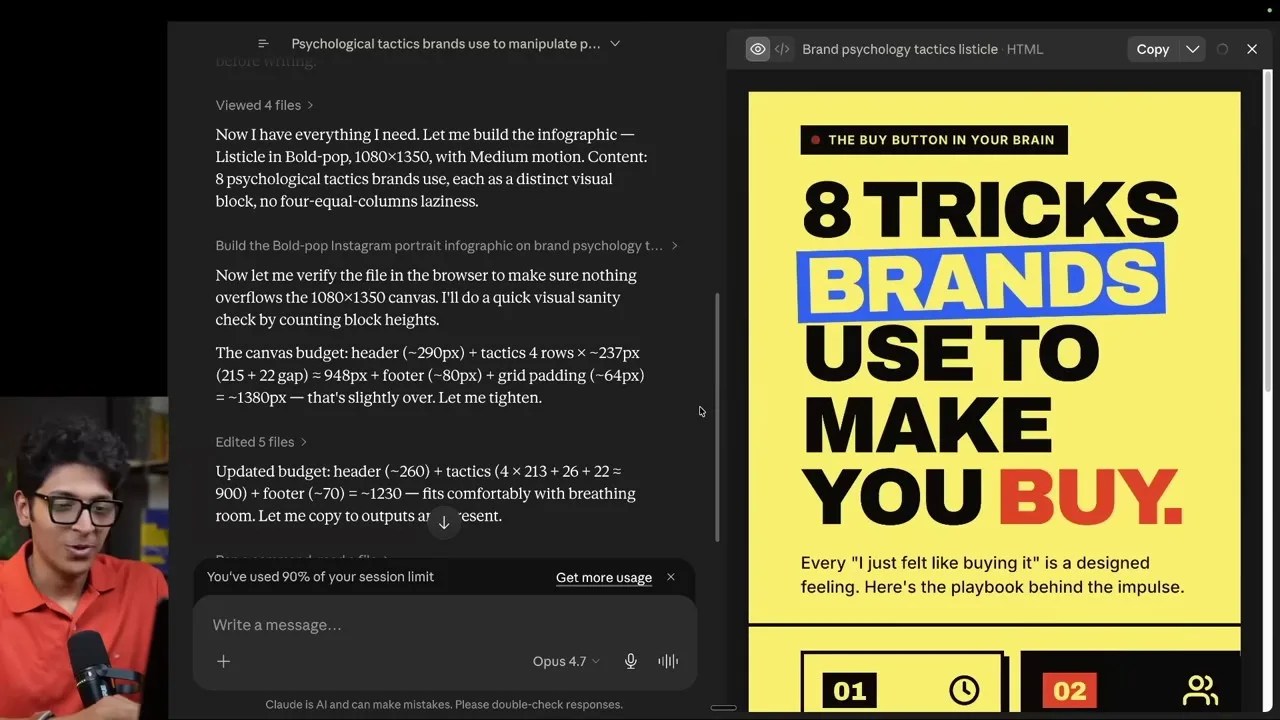
An interactive, animated SVG infographic mapping consumer psychology tactics, rendered live inside Claude.
8. Karpathy Guidelines
For developers using Claude Code, this is an absolute necessity. Based on the software development principles of legendary AI researcher Andrej Karpathy, this skill enforces a strict programming methodology: Think before coding, prioritize simplicity, make surgical changes, and execute in goal-driven loops.
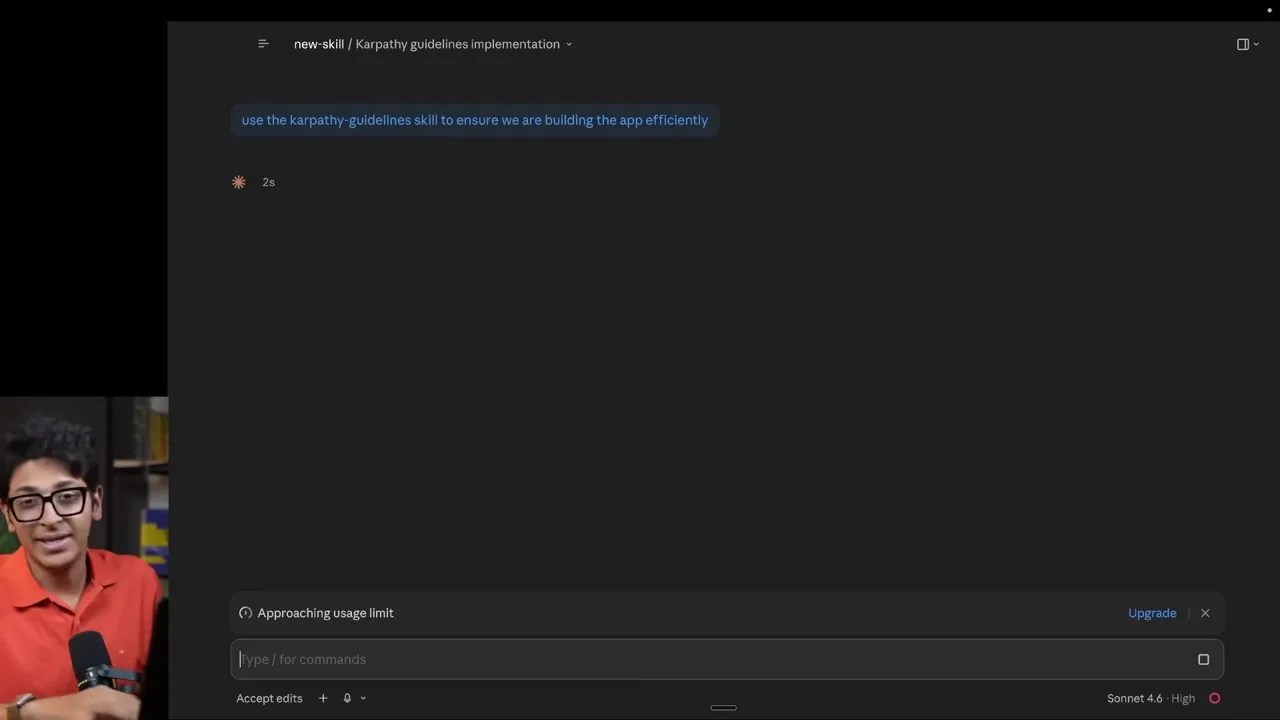
Reviewing a software architecture project against the strict, cost-saving Karpathy programming guidelines.
By forcing Claude to verify code changes surgically rather than rewriting entire files, this skill prevents codebase bloat and dramatically reduces API token consumption.
9. Caveman (The Token Saver)
Claude is notorious for exhausting rate limits quickly because of its long, conversational answers. The Caveman skill forces Claude to drop the polite corporate pleasantries and talk like an ape. By stripping out conversational filler, it delivers hyper-compressed, highly accurate summaries. This simple behavioral shift can reduce context window token usage by up to 75%, preserving your daily rate limits.
10. Expand and Contract
When brainstorming business models, founders often get lost in the weeds. Expand and Contract acts as an interactive business consultant. It takes a raw idea, expands it into a comprehensive operational map, guides you through targeted decision-making, and then contracts those decisions into a clean, visual execution plan.
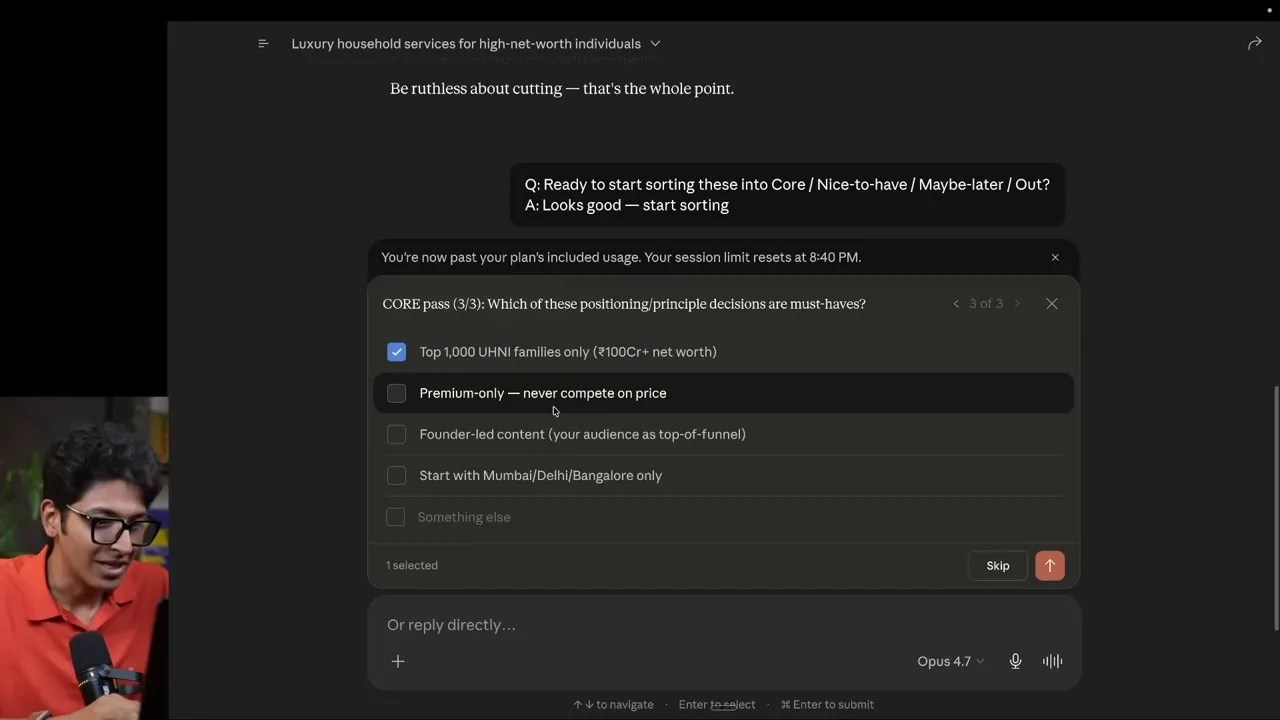
The Expand and Contract skill structuring a premium home services business idea into a visual, actionable plan.
4. Comparison: Claude Skills vs. Traditional AI Agents
A common point of confusion is how Claude Skills compare to traditional autonomous AI agents (like AutoGPT or CrewAI) or Custom GPTs. Below is a comparative analysis showing why structured .md skills are often the superior choice for day-to-day productivity.
| Feature | Claude Skills (.md) | Custom GPTs (OpenAI) | Autonomous Agents |
|---|---|---|---|
| Execution Speed | Instant (via Slash commands) | Moderate (requires switching UI) | Slow (multi-loop reasoning) |
| Token Efficiency | Very High (Surgical execution) | Medium (Bloated system prompts) | Extremely Low (High loop costs) |
| Customization | Pristine (Raw Markdown control) | Basic (UI- |