We’ve all seen them clogging our social media feeds: jaw-dropping cinematic sequences, hyper-realistic action shots, anime-style Disney magic, and talking avatars that look almost too human. But if you’ve ever tried to make one yourself, you’ve likely run headfirst into a frustrating paywall. Most top-tier platforms demand your credit card upfront, while the supposedly “free” alternatives either plaster an obnoxious watermark across your render or spit out a pixelated, distorted mess that looks like a 1990s screensaver.
But here is the good news: the landscape is shifting rapidly. You don’t need a Hollywood budget to produce stunning AI-generated content. In this deep-dive guide, we are exploring the absolute best free AI video generators available right now. Some of these tools are entirely free with zero strings attached, while others operate on incredibly generous daily or monthly credit systems that refresh automatically.
From cinematic action sequences to talking avatars, AI video generation has reached a whole new level of realism.
To keep this comparison completely fair and transparent, I am going to run the exact same test across all these platforms. We will use a single reference image—a young woman sitting peacefully in a cozy coffee shop—and the exact same prompt: “sipping coffee, looking outside.” This way, you can judge the motion consistency, facial preservation, and background rendering quality for yourself. Let’s dive in!
Our roadmap: Testing and comparing the top contenders in the free AI video generation space.
1. Google Flow (Veo 3.1): The Dialogue-Capable Powerhouse
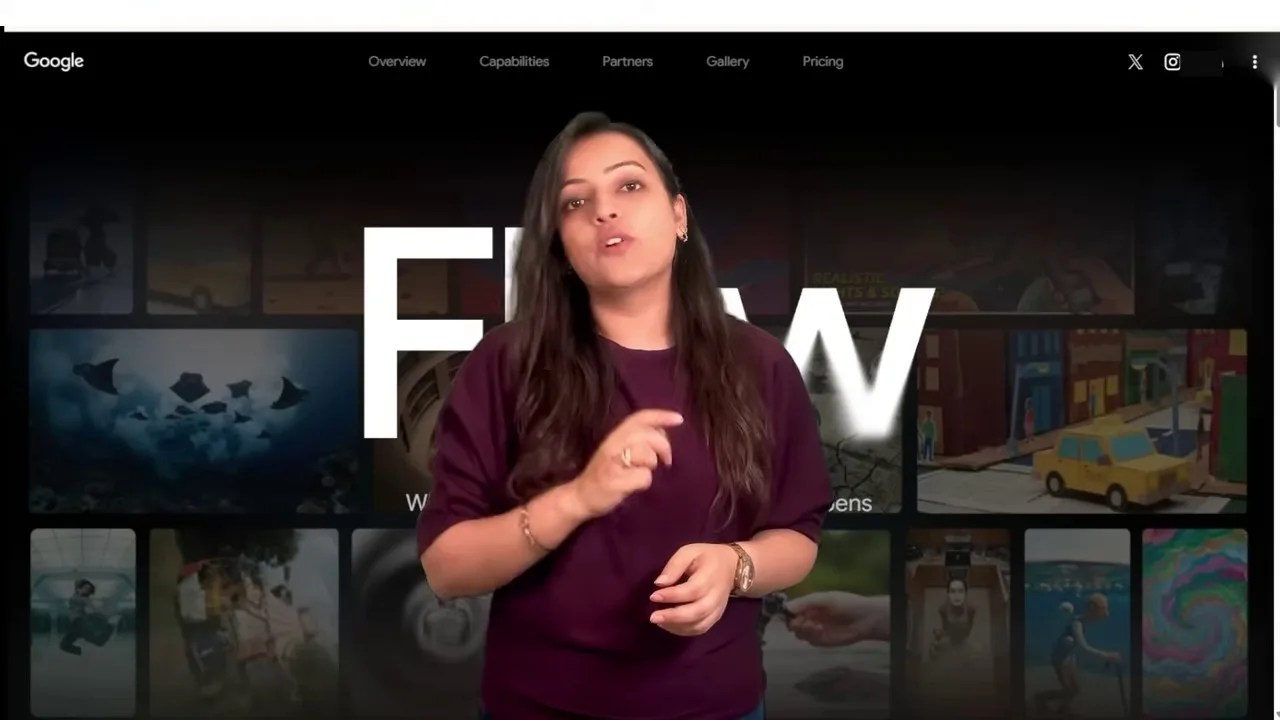
First up is Google Flow, a web-based platform that works beautifully on both desktop and mobile. Upon signing up, you are instantly greeted with 100 free credits, and the system generously replenishes 50 credits every single day.
The clean, accessible web interface of Google Flow makes onboarding incredibly simple.
But here is a massive, borderline-secret hack for users in India: if you happen to use a Jio SIM connection, you are eligible for an incredible 18 months of Google Pro subscription completely free. This upgrade bumps your allowance up to 1,000 credits per month, allowing you to generate roughly 100 high-quality videos without spending a single rupee.
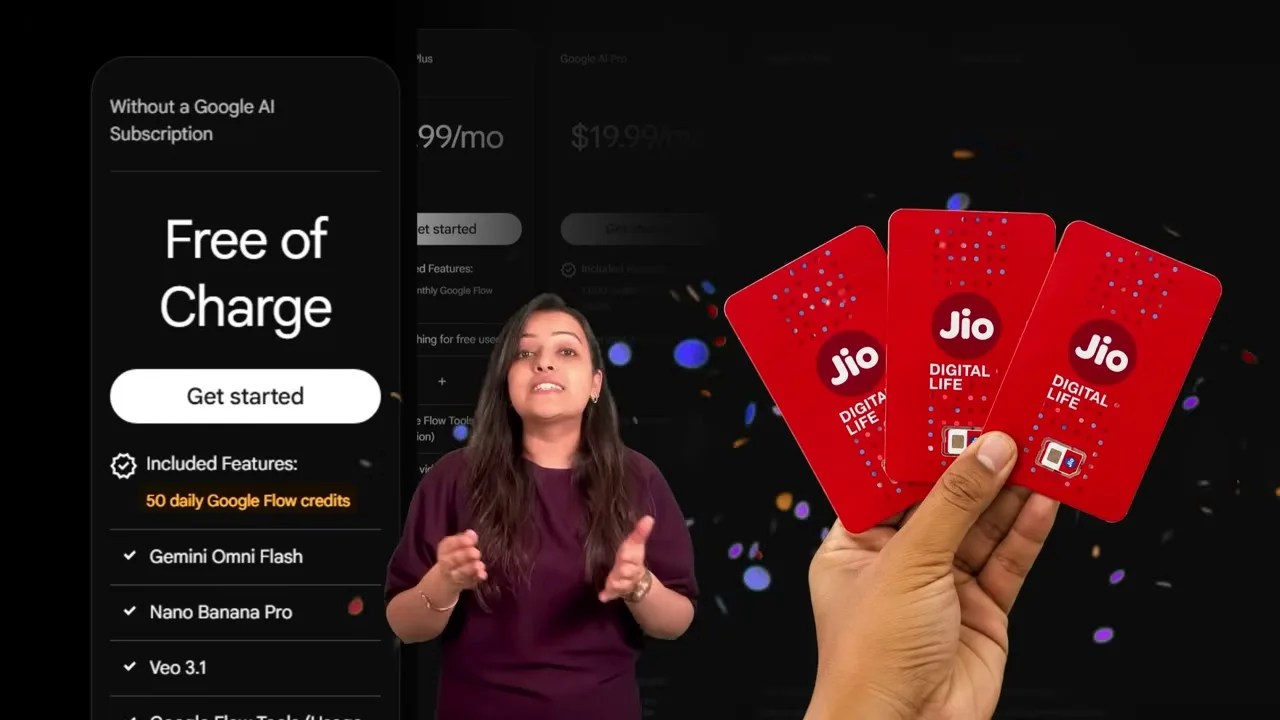
A massive win for Jio users: 18 months of free Google Pro means thousands of free generation credits.
Setting Up Your First Render in Google Flow
To get started, simply log in with your Google account, click on “Create with Flow,” and open a new project. Hit the plus (+) icon to upload your source image. In our case, we upload our coffee shop scene.
Uploading our reference image to establish the visual baseline.
Next, we type in our simple prompt: “sipping coffee, looking outside.” Under the settings panel, select “Videos,” choose your desired aspect ratio (we are going with a cinematic 16:9), and choose how many variations you want to generate simultaneously.
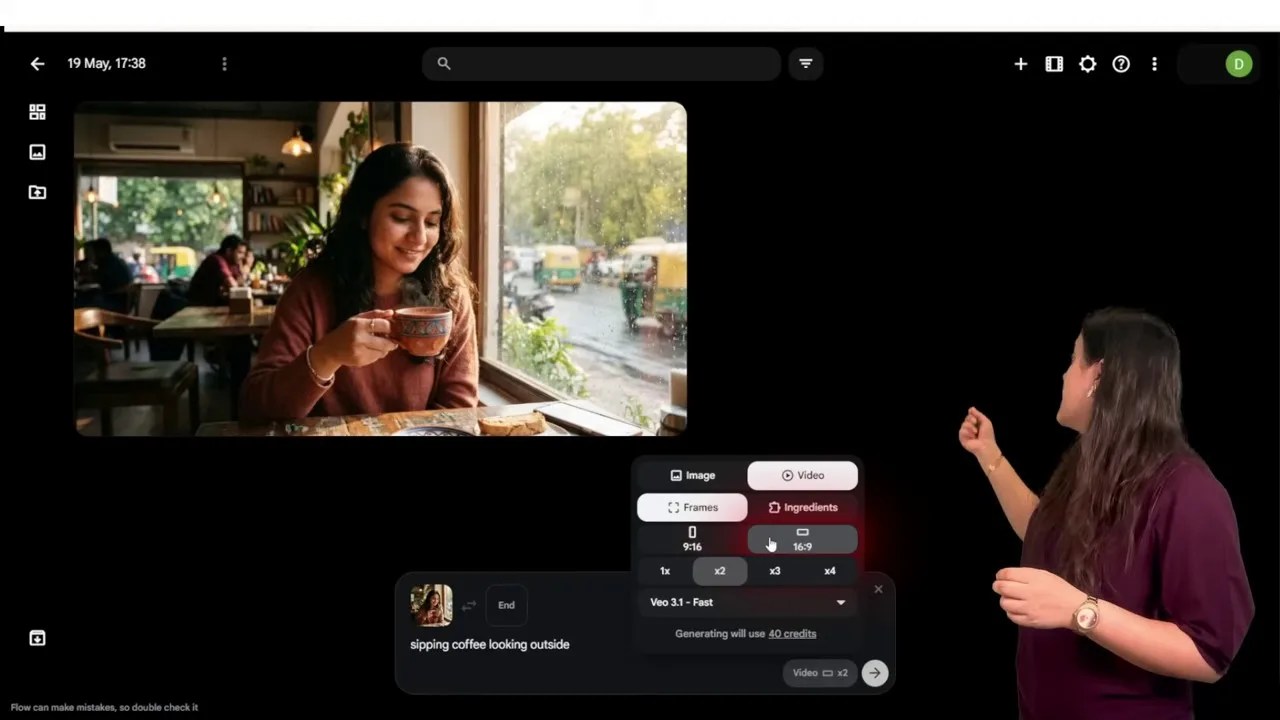
Configuring the aspect ratio and motion prompt for our scene.
Google Flow gives you access to three distinct tiers of Google’s state-of-the-art video generation models:
- Veo 3.1 Lite: Fast, highly efficient, and costs only 10 credits per generation.
- Veo 3.1 First: Offers enhanced motion dynamics for 20 credits.
- Veo 3.1 Quality: The absolute peak of realism and detail, costing 100 credits.
Tip: For daily use, I highly recommend sticking with Veo 3.1 Lite. The credit consumption is incredibly low, yet the visual output remains shockingly good.
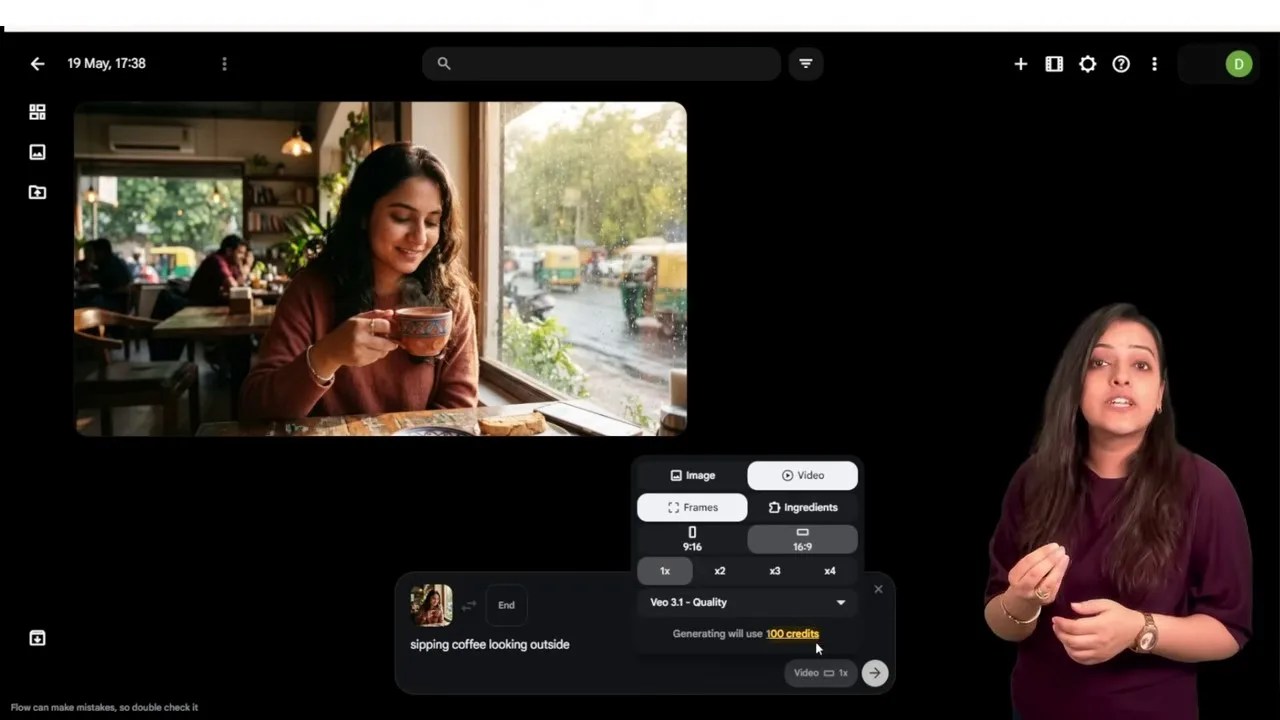
Choosing the right balance between processing speed, credit cost, and visual fidelity.
The Verdict & The “Showstopper” Feature
When we hit generate using the Lite model, the result is nothing short of breathtaking. The character’s facial expressions are subtle and natural, her hand movements are fluid, and the background traffic outside the window moves with realistic physics—zero weird morphing or digital artifacts.

The output from Google Flow: Clean, highly coherent motion with excellent environmental detail.
But what truly elevates Google Flow into a league of its own is its ability to generate synchronized character dialogue. By simply typing a line of dialogue—for example, “She says: Wow, what a coffee!”—the AI will procedurally animate the character’s lips, jaw, and facial muscles to match the spoken words perfectly. It transforms a simple animated GIF into a genuine, movie-level dialogue scene.

Unbelievable lip-syncing: Google Flow lets your characters speak custom lines with realistic facial acting.
2. Meta AI: Lightning-Fast & Truly Unlimited Motion
If your main priority is speed and volume, Meta AI is an absolute beast. Positioned as one of the most accessible free AI video generators on the market, Meta AI allows you to generate a virtually unlimited number of clips. While there is a soft daily cap of around 20 to 25 generations to prevent server abuse, it remains completely free without any paid tiers or credit anxiety.
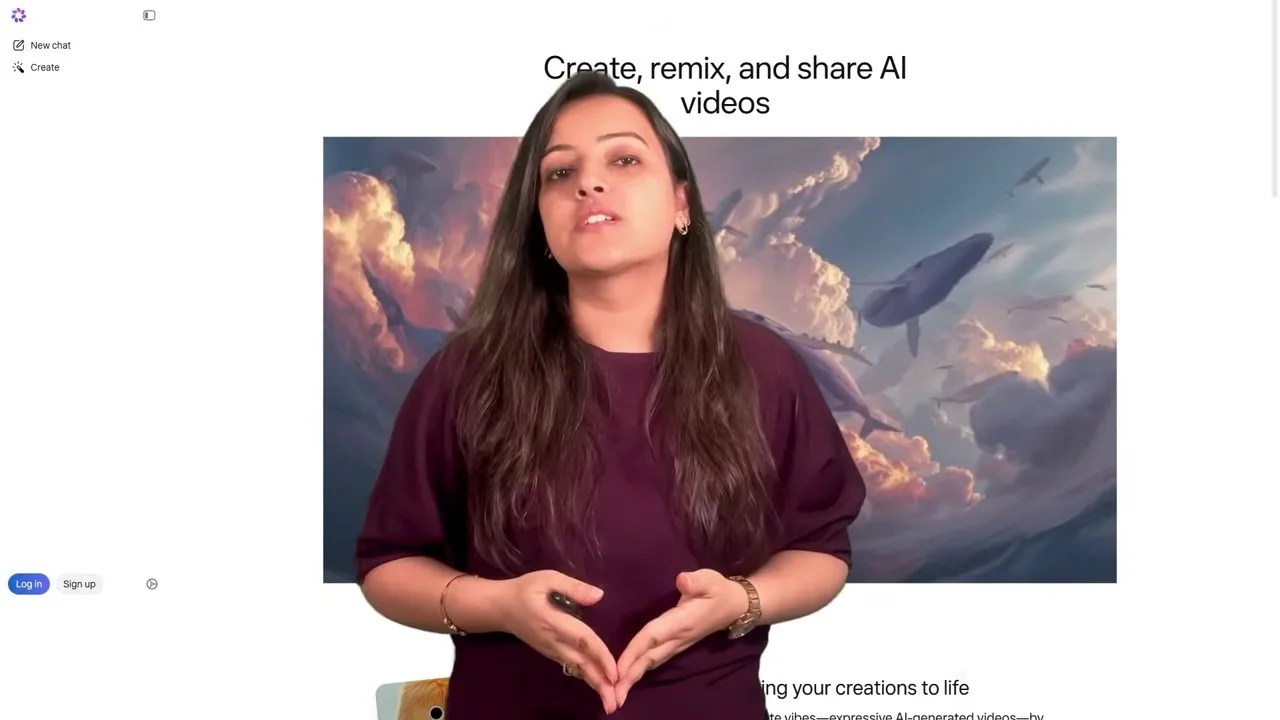
Meta AI’s minimal, chat-like dashboard is designed for rapid-fire creation.
The workflow here is as simple as it gets. You upload your image, type your prompt in the chat box, and let Meta’s infrastructure handle the rest. Within seconds, you are presented with a clean, high-framerate video.
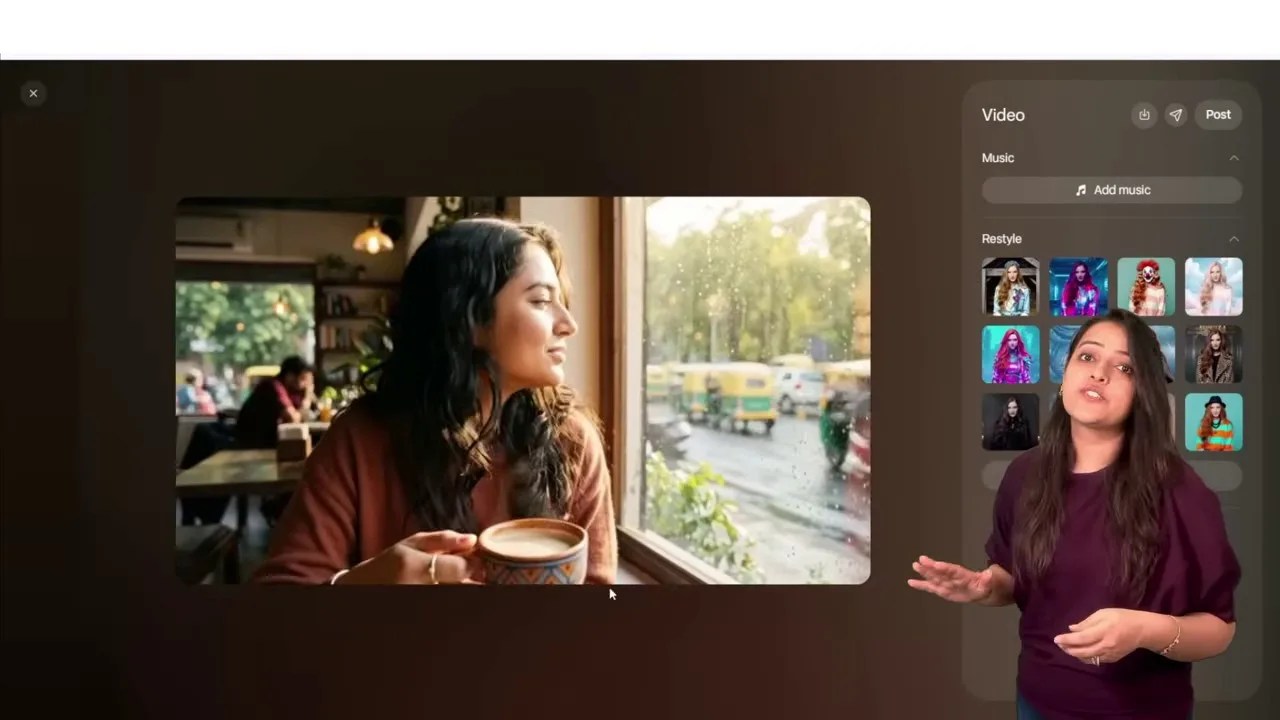
Meta AI excels at rendering complex background motion, like city traffic, without distorting the foreground subject.
The Pros: The motion is incredibly smooth. The background traffic flows naturally, and the character’s physical interaction with the coffee cup feels grounded. Furthermore, Meta allows you to directly add trending background music tracks from their extensive library and even “restyle” the video into different artistic mediums on the fly.
The Cons: Unlike Google Flow, Meta AI does not support custom lip-synced dialogue. It is strictly a motion generator—but a highly competent one at that.
3. Vir AI: The 20-Second Long-Form Wildcard
Most free AI tools limit your generations to a mere 3 to 5 seconds. If you want a longer shot, you are usually forced to pay or manually stitch clips together. This is where Vir AI enters the frame as a highly intriguing alternative. Upon creating a free account, you receive 50 credits to test the waters.
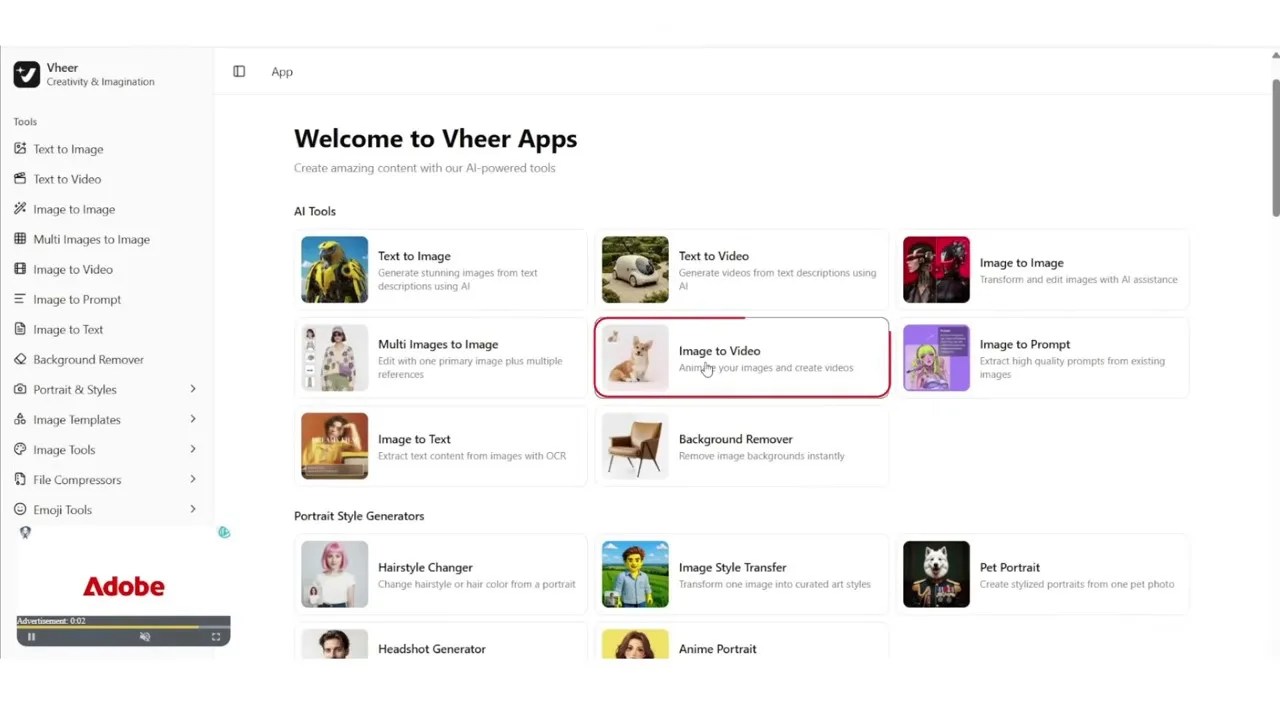
Vir AI offers a suite of creative tools, with ‘Image to Video’ being their flagship free offering.
While Vir AI offers several premium, paid rendering engines, their proprietary in-house model—Vir Quality—is completely free to use. What makes this platform unique is the flexibility in video duration. In the settings panel, you can drag the duration slider all the way up to 20 seconds.
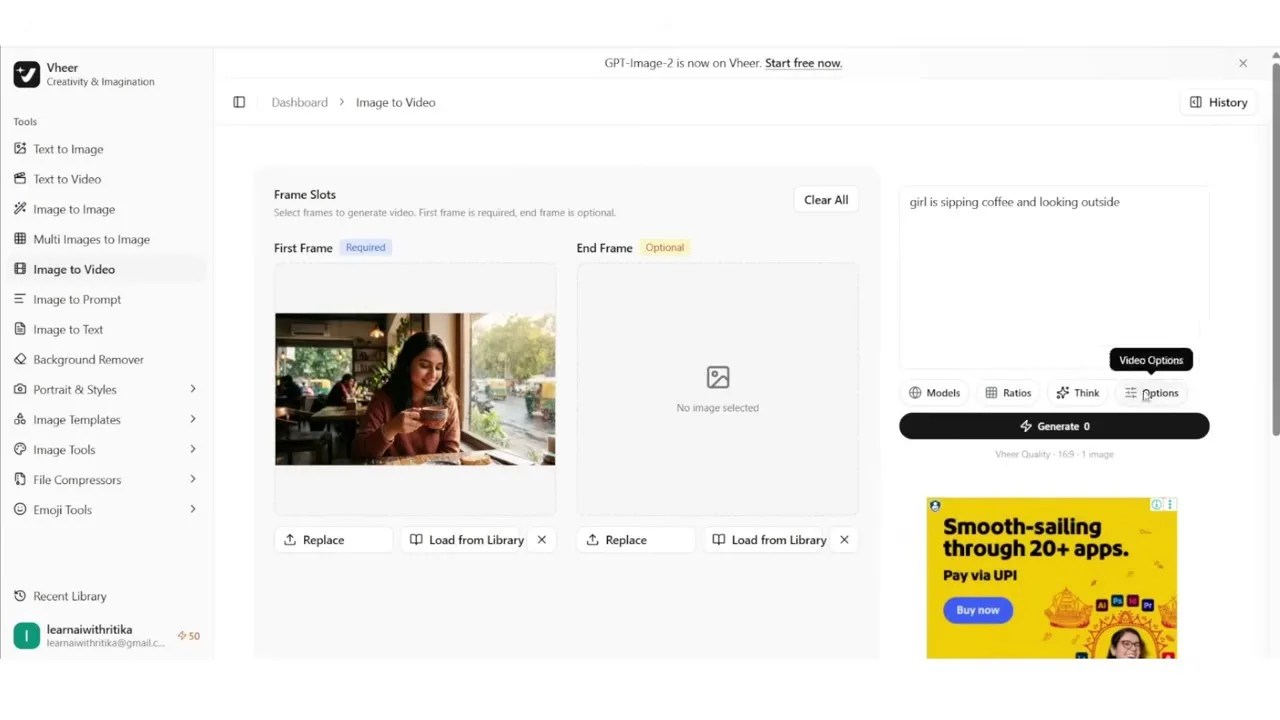
The rare ability to generate continuous 20-second AI videos for free is Vir AI’s biggest selling point.
An Honest Reality Check: While the prospect of a free 20-second clip is incredibly alluring, our testing revealed a noticeable trade-off in visual fidelity. The output generated by the Vir Quality model suffered from visible compression artifacts and minor structural warping compared to the pristine outputs of Google Flow and Meta AI. However, if you need a longer, slow-moving sequence and have the patience to upscale the final output using third-party tools, Vir AI is a highly capable utility to keep in your creative arsenal.
4. Google Vids (The Hidden Gem)
While most creators are busy fighting over beta access to standalone tools, Google has quietly slipped a phenomenal video generation engine inside its productivity suite. It’s called Google Vids, and currently, about 90% of mainstream creators have no idea it exists.
Powered by Google’s cutting-edge Veo 3.1 engine, Google Vids is designed to help workspace users create presentations and pitches, but its “Animate an Image” feature is a world-class, standalone video generator in its own right.
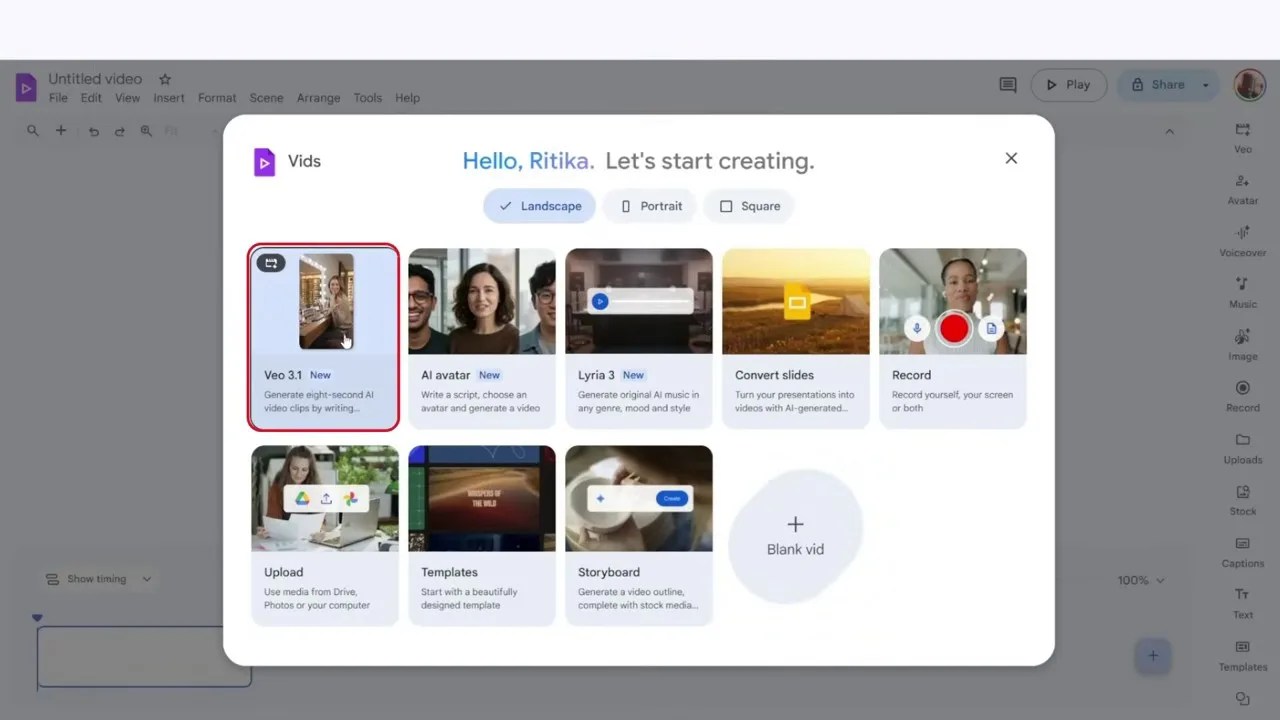
Google Vids houses a highly sophisticated image-to-video pipeline under its productivity hood.
To use it, simply log into the Google Vids dashboard, choose the “Animate an Image” tool on the right-hand panel, upload your reference photo, and input your prompt. You can choose between landscape (16:9) or portrait (9:16) aspect ratios depending on your target platform.
The results are incredibly lifelike. Not only does the motion feel physically grounded, but Google Vids also automatically scores your video with contextual, high-quality background music that matches the mood of your prompt.
The output from Google Vids showcases incredibly realistic physics, perfect for professional-grade B-roll.
The Catch: Standard free accounts are limited to 10 video generations per month. However, if you are utilizing the Jio SIM 18-month Pro subscription hack we mentioned earlier, you can bypass this limitation entirely and generate dozens of cinematic clips every single month.
5. YT Create: Studio-Quality AI Directly in Your YouTube App
What if you could generate high-quality AI videos without ever leaving your phone or registering on a dozen sketchy websites? Enter YT Create (YouTube Create), Google’s official video editing mobile app designed specifically for creators.
Tucked inside the app is a powerful Gemini-powered integration that is entirely free to use. Simply open YT Create, tap the plus (+) icon to start a project, and look for the Gemini AI sparkles icon in the top right corner.
Accessing Gemini-powered video generation natively inside the mobile-friendly YT Create app.
Select “Photo to Video,” upload your reference image, and type your motion prompt. Because it runs on Google’s optimized mobile infrastructure, the generation is surprisingly fast and requires zero credit management.
The Drawback: YT Create is currently optimized strictly for vertical content (9:16 aspect ratio), making it perfect for YouTube Shorts, Instagram Reels, and TikToks, but less ideal for traditional widescreen landscape videos. Additionally, the engine occasionally generates synthetic background audio; if you don’t need it, you can easily mute or replace the audio track directly in the editor timeline.
6. Kling AI: The Cinematic, Watermark-Free King
If you have spent any time in the AI video space, you have likely heard of Kling AI. It has rapidly earned a reputation as one of the most powerful video generators on the planet, and for good reason.
Kling AI offers a highly generous free tier, granting users between 5 to 10 free video generations every single day. The interface is clean, allowing you to fine-tune your aspect ratios, motion intensity, and camera movements.
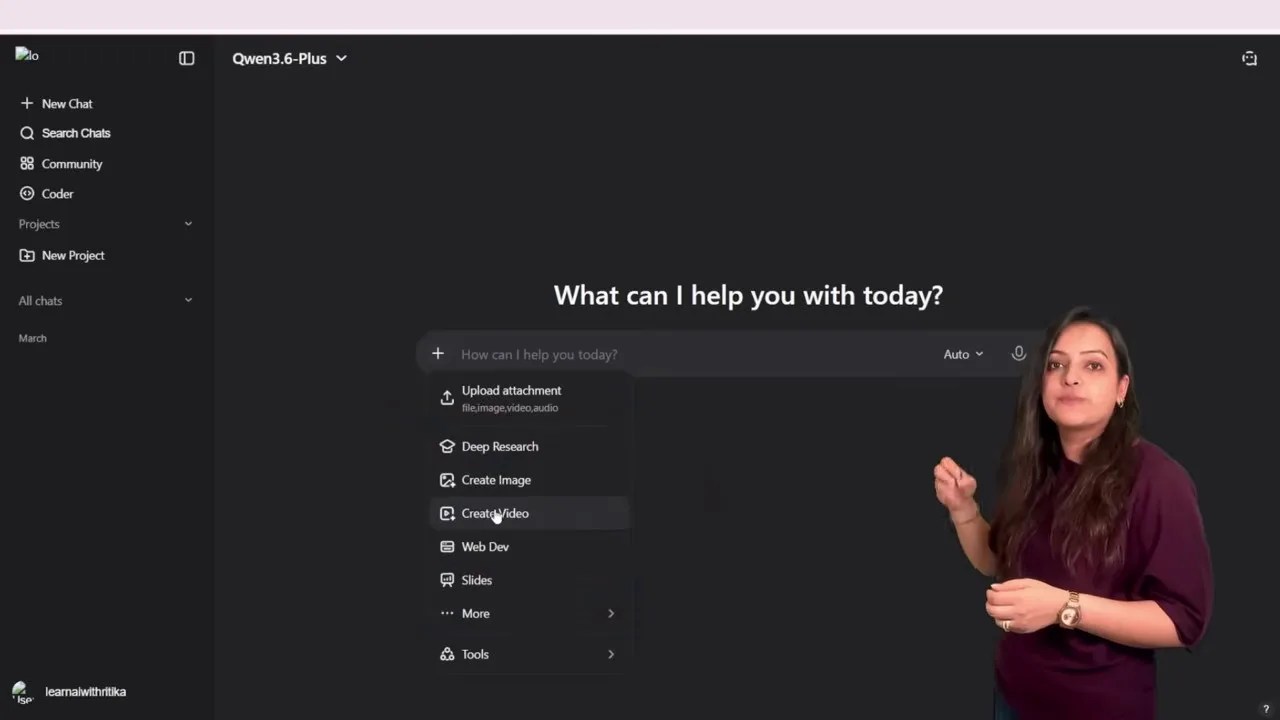
Kling AI’s dashboard gives creators precise control over motion parameters and camera dynamics.
When we ran our coffee shop test image through Kling AI, the results were stunning. The camera slowly dollying backward while preserving the exact facial structure of our character was breathtaking. But the absolute best part? There is no watermark on the free exported files. Finding a tool that offers Hollywood-grade physics and clean, watermark-free outputs on a free plan is incredibly rare, making Kling AI a non-negotiable addition to your workflow.
7. Vana.video: The Infinite Generation Loop
We close our round-up with Vana.video, a unique platform that offers an ingenious solution to the dreaded “credit anxiety” that plagues most AI creators.
When you log in and check in daily, you receive a baseline of 10 credits. However, Vana.video features a game-changing toggle switch on its dashboard: “Generate with Credits.”
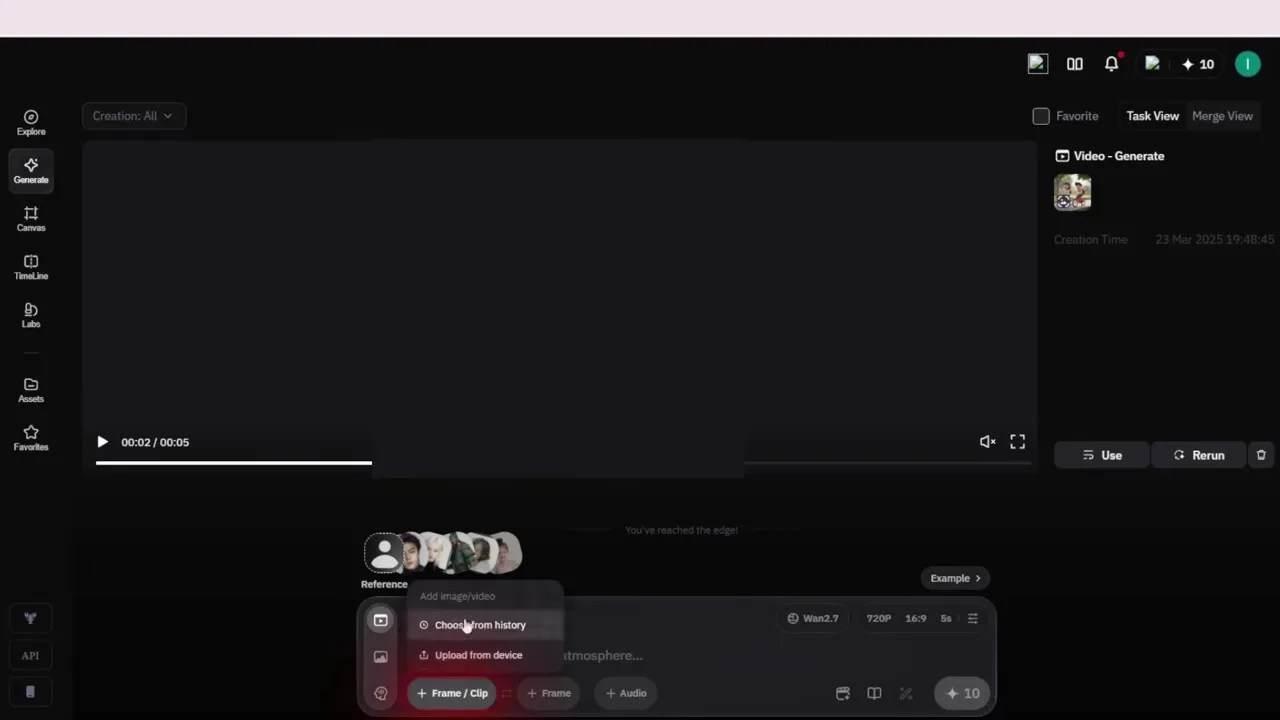
By toggling off ‘Generate with Credits’, Vana.video allows you to create unlimited videos for free.
If you turn this toggle off, you can generate 5-second videos at 720p resolution completely free, without consuming a single credit! The only catch is that your prompt enters a standard public queue, meaning it will take slightly longer to render. But if you have a massive batch of images to process and don’t mind waiting a few extra minutes, Vana.video provides a truly infinite sandbox for your creativity.
The Ultimate Comparison: Which Tool Should You Choose?
To help you cut through the noise, here is an objective, side-by-side comparison of how these free AI video generators stack up against each other in real-world scenarios:
| AI Tool | Free Model / Credits | Watermark? | Standout Feature | Best For |
|---|---|---|---|---|
| Google Flow | 50 daily credits (Veo 3.1 Lite) | No | Character Lip-Sync & Dialogue | Cinematic Storytelling |
| Meta AI | Unlimited (Soft cap ~25 daily) | No | Rapid generation & music library | High-Volume Social Media |
| Vir AI | 50 credits signup (Vir Quality) | No | Generates up to 20-second clips | Long-Form continuous shots |
| Google Vids | 10 video exports per month | No | Auto-generated ambient audio | Professional Presentations & B-Roll |
| YT Create | Completely free (Gemini Engine) | No | Native mobile integration | Quick Shorts & Reels on-the-go |
| Kling AI | 5-10 daily generations | No | Incredible camera motion control | Cinematic, watermark-free B-roll |
| Vana.video | Unlimited (With credit toggle OFF) | No | No-cost queue-based system | Infinite testing & experimentation |
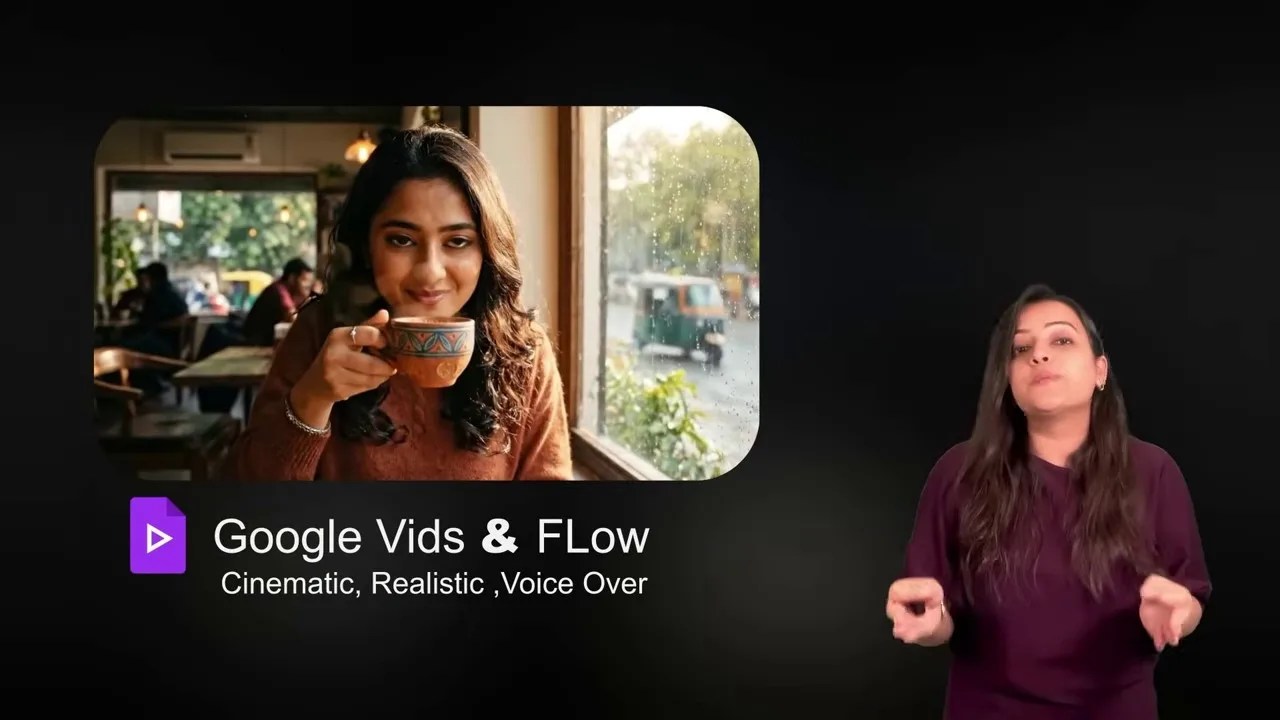
The ultimate verdict: Match the tool to your specific creative bottleneck.
The Final Verdict: Which One Belongs in Your Bookmark Bar?
There is no single “perfect” AI tool, but rather the right tool for the right job. Here is how I recommend structuring your workflow:
- Choose Google Flow or Google Vids if you are making narrative videos, short films, or any content where your characters need to speak realistic dialogue and look hyper-realistic.
- Choose Kling AI if you want stunning, cinematic camera movements (pans, dollies, zooms) for montages without any distracting logos on your screen.
- Choose Meta AI or Vana.video if you are a social media manager who needs to output dozens of quick, animated graphics daily without stressing over credits or subscription fees.
The barrier to entry for high-end digital storytelling has officially collapsed. Pick one of these tools, upload an image, write a compelling prompt, and start bringing your imagination to life today!
Frequently Asked Questions (FAQ)
Q1: Can I use these free AI video generators for commercial projects?
Yes, most of these tools allow commercial use, but you must check their individual terms of service. Google Flow and Kling AI outputs are generally safe for commercial use on YouTube and social media, especially if you are on their free or promotional tiers. However, always ensure your source images do not violate copyrights.
Q2: How do I get the most realistic motion without my images morphing or melting?
The secret lies in keeping your prompts simple. Instead of describing a complex action sequence, focus on subtle environmental changes like “wind blowing in hair,” “soft rain on window,” or “sipping coffee.” Let the AI model handle the micro-movements naturally rather than forcing too many actions into one prompt.
Q3: Are there mobile apps for these tools, or are they web-only?
YT Create is a dedicated mobile app available on iOS and Android. Google Flow, Meta AI, and Kling AI are fully responsive, meaning they run flawlessly inside any mobile web browser (like Chrome or Safari) without needing a hefty desktop setup.