We’ve all been there. You’re deep in the zone—drafting a critical report, coding a complex script, or trying to generate a stunning visual concept. Suddenly, a cold, hard paywall hits you square in the face: “You have reached your limit for GPT-4o. Please upgrade to Plus.” Or perhaps you’re asked to buy tokens, subscribe to yet another monthly plan, or watch endless ads just to get a single decent output.
The tech industry has successfully induced subscription fatigue. Every “AI guru” on your feed tells you that you must master these tools to survive, but they conveniently gloss over the fact that maintaining active subscriptions to OpenAI, Anthropic, Midjourney, and video generators can easily set you back $100+ a month.
What if I told you there’s a legitimate, completely legal backdoor that lets you access the absolute strongest, cutting-edge free AI models in the world with zero daily limits, zero credit cards, and zero hidden costs? I’m not talking about some sketchy, third-party wrapper that steals your data. I’m talking about the exact same production-grade models used by Silicon Valley elite, hosted on a world-class research platform.
Let’s pull back the curtain on how to stop paying for AI forever.
1. The Subscription Paywall Trap (And Why You’re Falling For It)
The monetization strategy of modern AI companies is brilliant but punishing. They hook you with a free tier that feels incredibly smart, only to silently downgrade your experience to a slower, stupider model the moment server traffic spikes. If you want the “good stuff”—the reasoning models, the multimodal file uploaders, the ultra-sharp image generators—you are forced to cough up $20/month per platform.
If you need Claude for writing, GPT-4 for coding, and a separate tool for image or video generation, your monthly software bill quickly rivals your utility bills. This constant nickel-and-diming stops here. By shifting your workflow to a unified open-research ecosystem, you can bypass these paywalls entirely while maintaining access to top-tier performance.
2. The Hidden Portal: What is LMSYS Arena?
The holy grail platform we are talking about is LMSYS Chatbot Arena (often simply called Arena). Created as a joint research project by UC Berkeley, UC San Diego, and Carnegie Mellon University, Arena serves as a benchmarking platform where AI models compete head-to-head in blind taste tests judged by real users.
Because the platform relies on human feedback to rank the world’s best AI, tech giants like Google, Anthropic, OpenAI, and Meta actively donate their compute and API access to the platform. They want users to test their latest models. For us, this is a goldmine for anyone looking to play with elite free AI models.
Signing in with a basic Google account opens up a unified dashboard containing the world’s most advanced AI models.
When you first log in, the interface might look slightly academic and intimidating. Don’t worry—it’s incredibly straightforward once you know where to look. To help you visualize how this platform compares to commercial options, take a look at the breakdown below:
3. The Battle Mode Trap: Why You’re Using It All Wrong
The first major mistake most casual users make when they discover Arena is staying entirely inside the default Battle Mode.
In Battle Mode, you type a prompt, and the system generates side-by-side answers from two completely anonymous models (labeled Model A and Model B). You read both outputs, vote on which one is superior, and only then does the system reveal their true identities—say, Claude 3.5 Sonnet vs. GPT-4o.
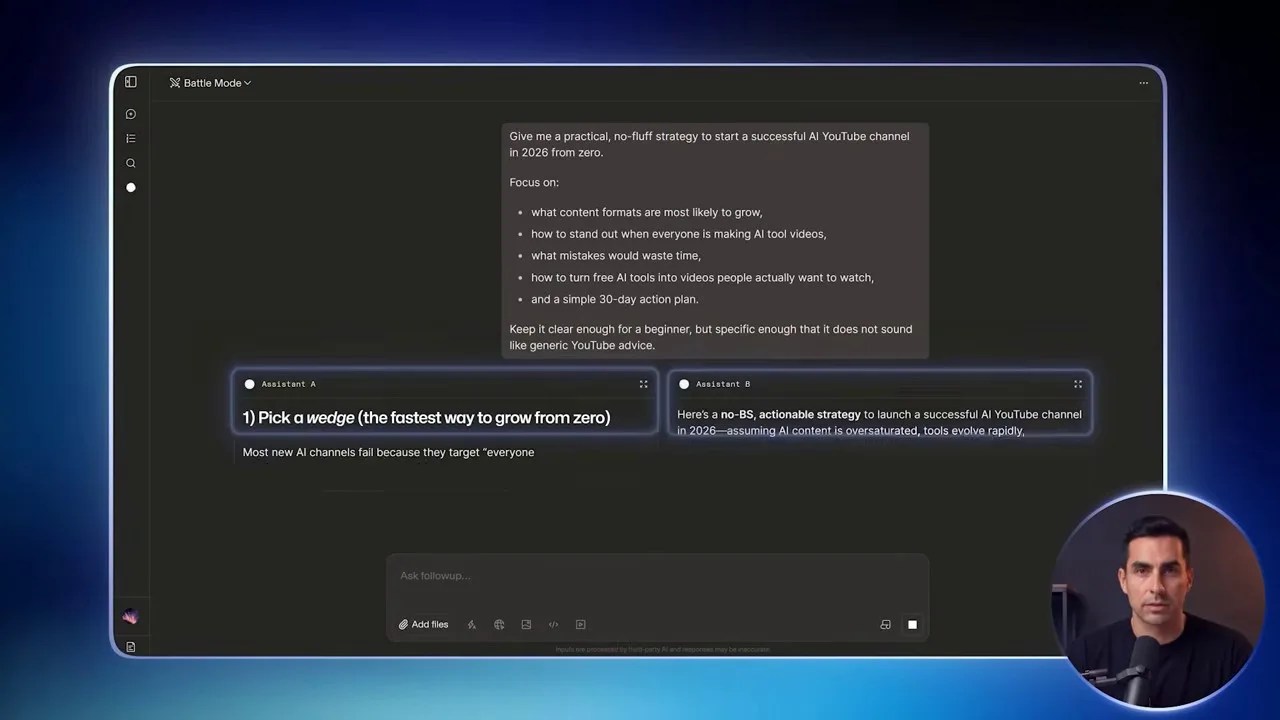
Battle Mode is fantastic for community benchmarking, but it’s highly inefficient for actual daily work because the models are randomized.
While this is a brilliant concept for crowdsourcing unbiased rankings, it is an incredibly frustrating way to get actual work done. If you are trying to debug a complex Python script or write a highly persuasive sales email, you don’t want to leave your results to the roll of a dice. You need to know exactly which engine is under the hood.
4. The Pro Method: Unlocking Direct Chat & The Dynamic Leaderboard Strategy
To turn this research platform into your personal, high-performance workstation, you need to step out of the arena and take direct control.
First, look at the top navigation bar. Click on the Battle Mode dropdown and switch it to Direct Chat.
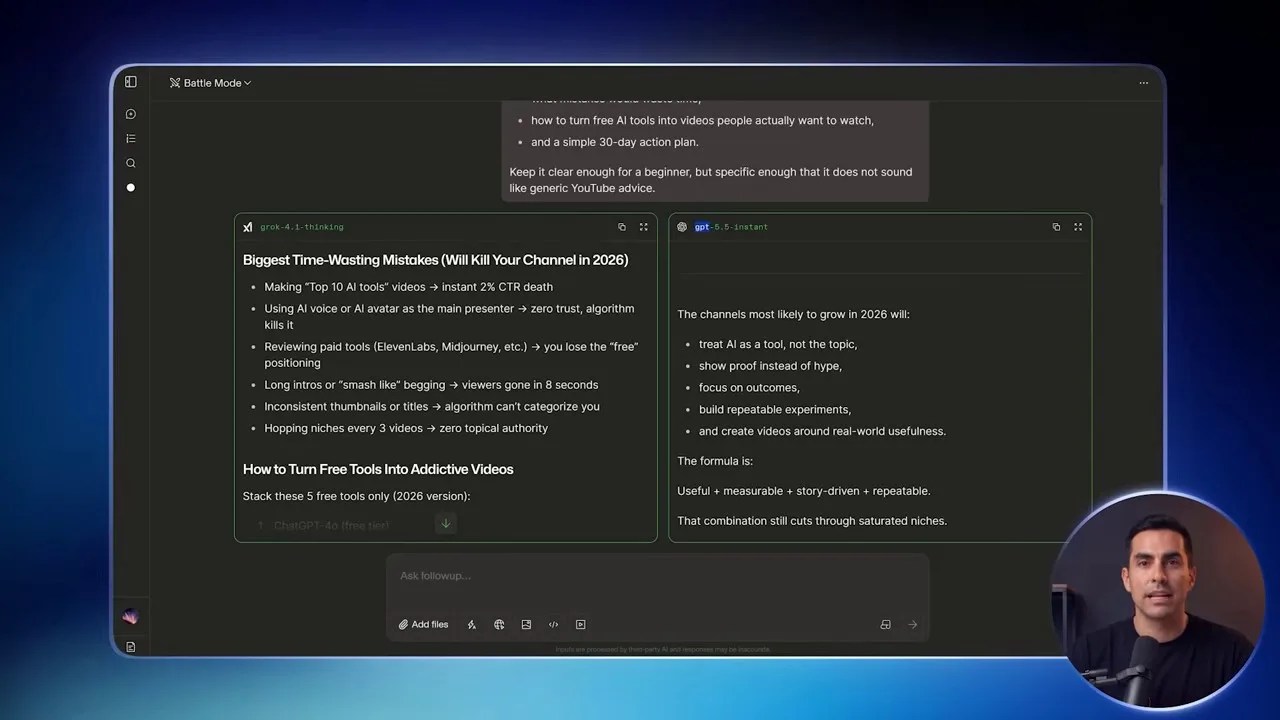
Switching to Direct Chat instantly transforms Arena from a blind voting game into a powerhouse productivity workspace.
Once you are in Direct Chat, the magic happens. Click on the model selector menu at the top. Instead of being forced to use whatever random model the system hands you, you are now looking at a dropdown menu packed with almost every major proprietary and open-source model currently in existence.
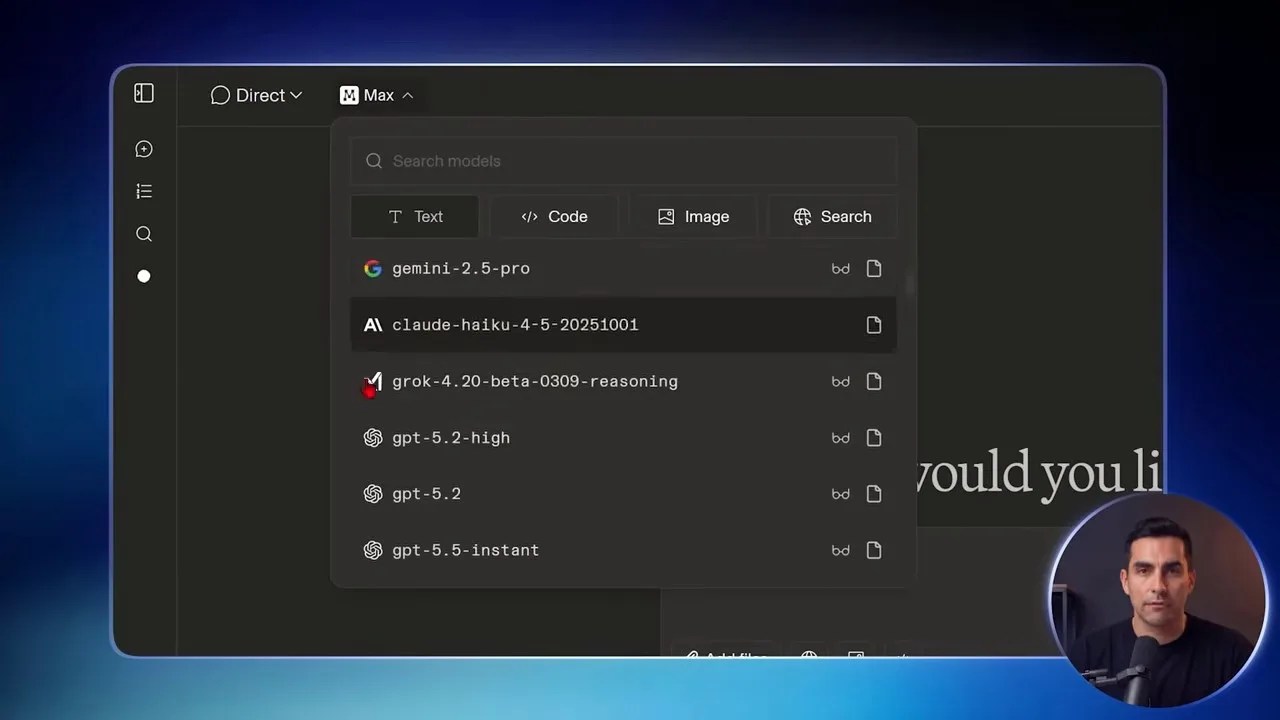
The model selector dropdown is your direct portal to elite proprietary systems, completely bypassing individual paywalls.
But here is the catch: how do you know which model to choose? The AI landscape changes almost weekly. A model that was the undisputed king last month might be thoroughly outclassed today by a stealth drop from an open-source competitor.
Instead of guessing or relying on outdated advice from social media, use the **Leaderboard Strategy**:
- Navigate to the left-hand sidebar and click on Leaderboards.
- Select the category you need (e.g., Text or Vision).
- Look at the live, crowdsourced ranking table, backed by millions of real-world comparisons.
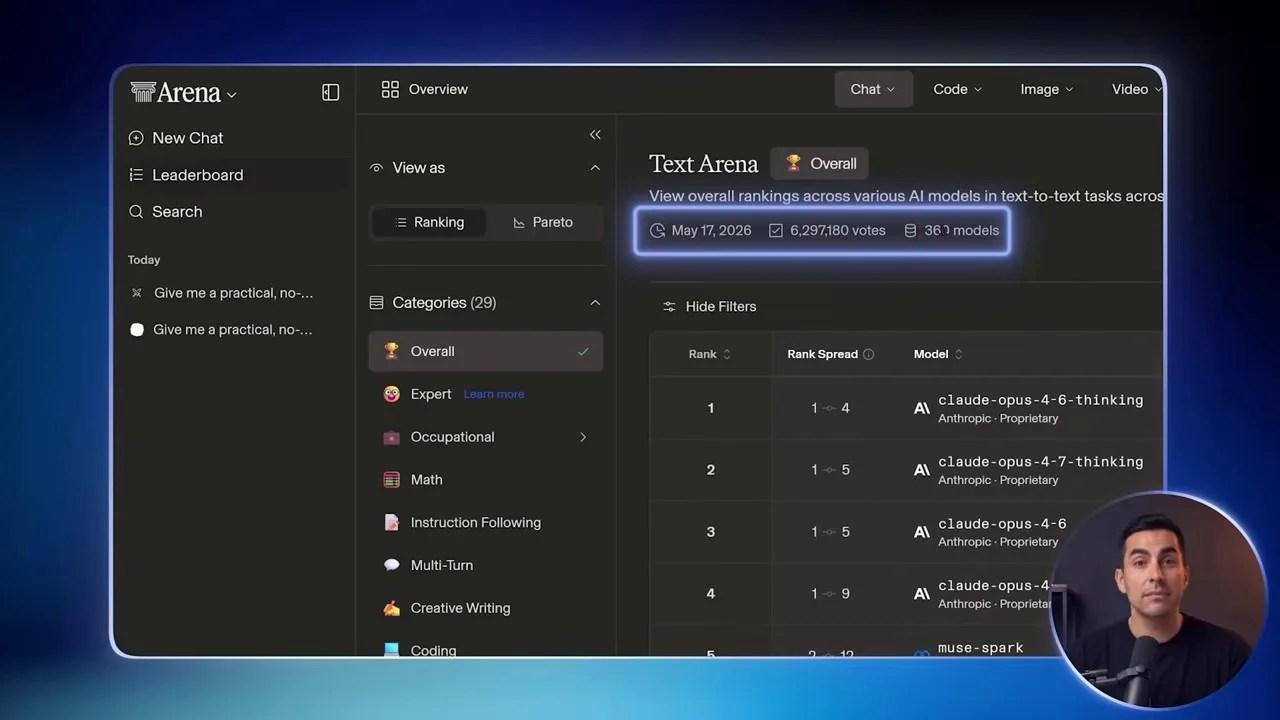
The live leaderboards offer real-time data on which models are actually performing best based on millions of human votes.
Once you identify the current top-performing model, simply double-click and copy its exact name from the leaderboard. Go back to your Direct Chat tab, paste the model name into the search bar of the model selector, and hit enter.
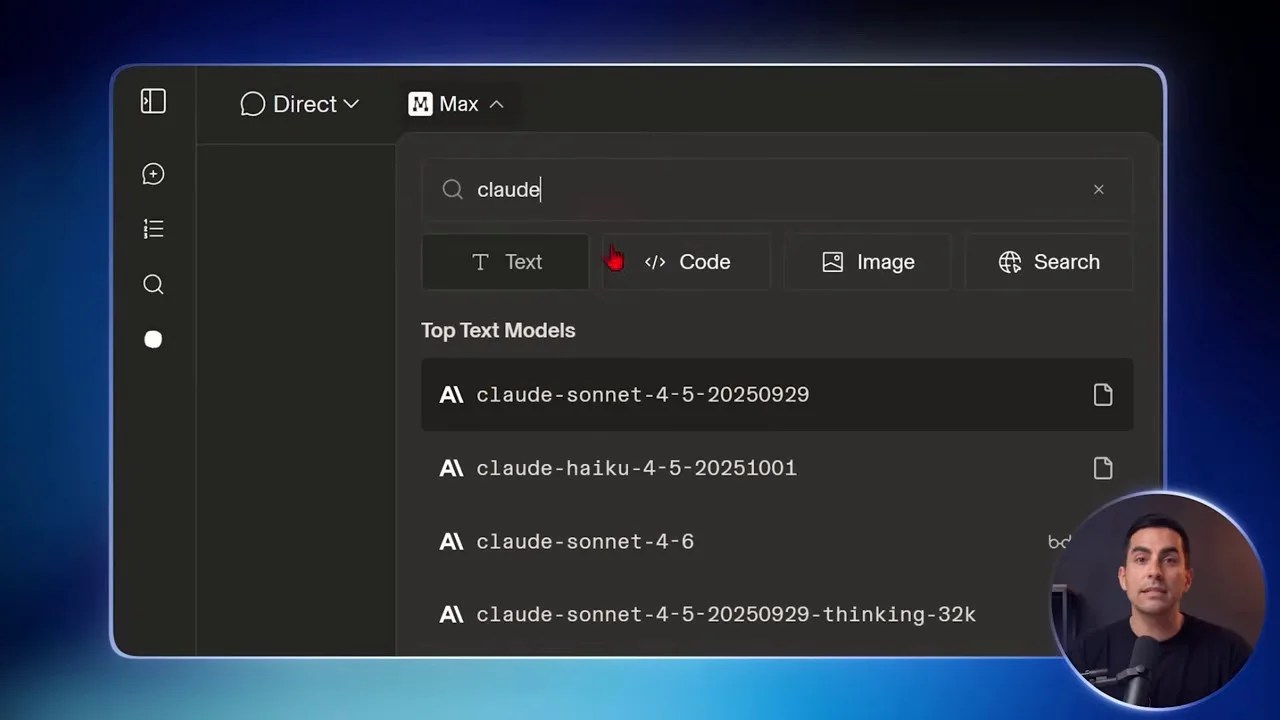
By copying and pasting names directly from the live leaderboard, you can select and run these free AI models directly on your own terms.
If the absolute #1 model is temporarily saturated or offline due to high demand, don’t panic. Simply look at positions #2, #3, or #4 on the leaderboard. At the top of the rankings, the performance differences are virtually imperceptible for 95% of everyday tasks.
5. The “Double-Agent” Tactic: Custom Side-by-Side Prompting
Now that you know how to handpick your models, let me share a workflow that will instantly elevate the quality of your outputs: the “Double-Agent” Tactic.
Instead of relying on a single chat window, select the Side-by-Side mode. But unlike Battle Mode, you are going to manually set both models yourself. For instance, you can load the reigning champion of logical reasoning (e.g., GPT-4o) on the left, and the undisputed master of creative nuance and coding (e.g., Claude 3.5 Sonnet) on the right.
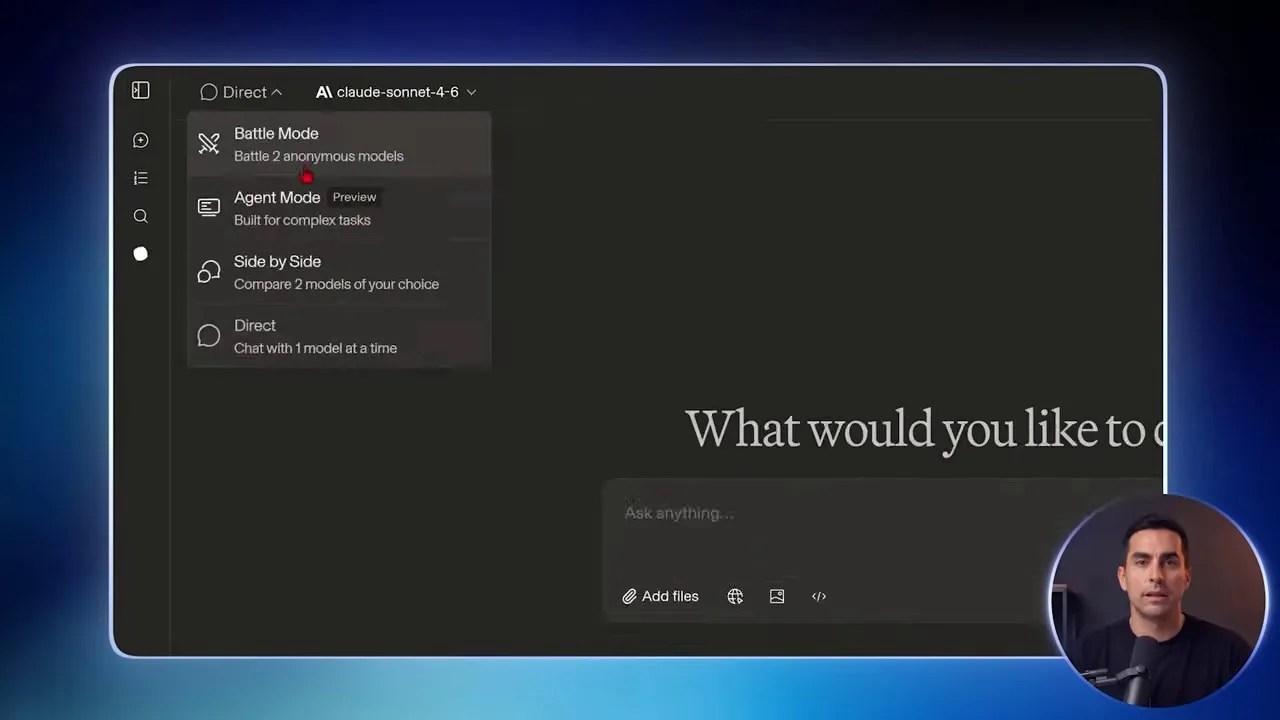
Custom Side-by-Side mode allows you to run elite models concurrently, unlocking the true power of these free AI models.
When you submit a complex prompt, both models will generate answers simultaneously. Here is where the “Double-Agent” magic happens:
If you are working on something critical—like a complex legal document, a difficult piece of code, or an important strategic plan—don’t just pick one answer. Take the output generated by Model A, paste it into Model B’s chat window, and prompt: “Review this draft generated by another AI. Identify any logical fallacies, factual errors, structural weaknesses, or missing details, and rewrite it to be flawless.”
This cross-examination technique routinely yields results that are vastly superior to anything a single model could ever produce on its own.
6. Taking it Further: Testing the Multi-Step Agent Mode
For those who want to automate entire workflows rather than just sending single back-and-forth prompts, Arena features an experimental Agent Mode (available in the top-left menu).
While still technically in beta, Agent Mode is designed to handle complex, multi-step instructions that require planning, research, and iterative execution.
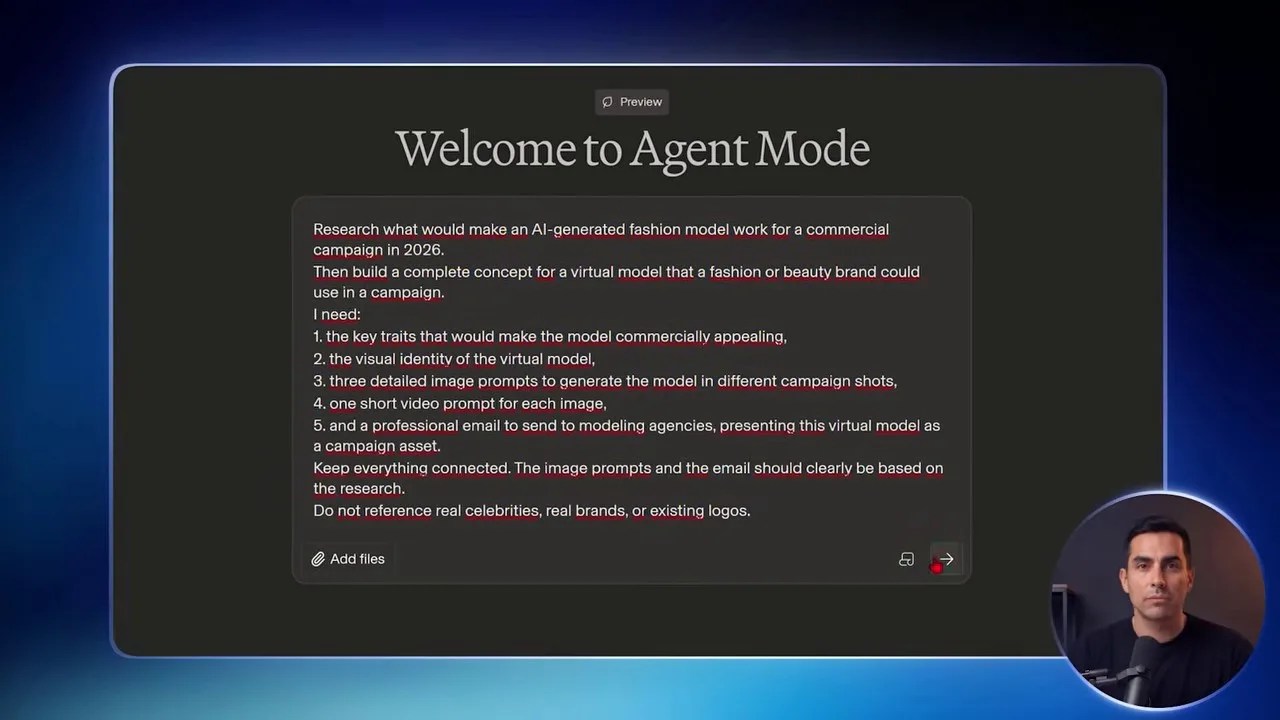
Testing the Agent Mode with a multi-step prompt to orchestrate a complete commercial fashion campaign workflow.
To test its limits, I fed it a highly demanding prompt:
“Research what makes an AI fashion model successful in a modern commercial campaign. Then, write highly detailed image prompts to generate that virtual model. Finally, draft a highly professional cold pitch email to send to modeling agencies, presenting this virtual model as a cost-effective solution for their commercial needs.”
The agent went to work, systematically breaking down the task. It completed the market research, structured the exact visual prompt parameters, and composed the business email—all within a single, continuous output stream.
However, during my hands-on testing, I hit a major roadblock. While the agent was brilliant at generating the strategic text and the exact image prompts, it couldn’t actually *render* those images or turn them into video assets within the same workspace. It pointed out a massive gap in my creative pipeline: I had the perfect blueprints, but no heavy machinery to build the visual assets.
This limitation forced me to look beyond Arena for a tool that could handle the heavy rendering of video and audio without hitting a paywall. And that brings us to the next phase of our free AI stack…
7. Bridging the Gap: Higsfield’s “Supercomputer” Workflow
While Arena is a masterpiece for text-based reasoning and model comparisons, it does have one significant blind spot: it cannot natively render physical media assets inside its advanced multi-step Agent workflows. If you want to build a fully automated creative pipeline that generates not just the strategy and the prompts, but also the final visual and auditory assets, you need to look at specialized alternative platforms.
This is where Higsfield comes into play, specifically its advanced Supercomputer agent mode. Unlike standard chat interfaces, Higsfield is built from the ground up to handle heavy-duty media generation pipelines.
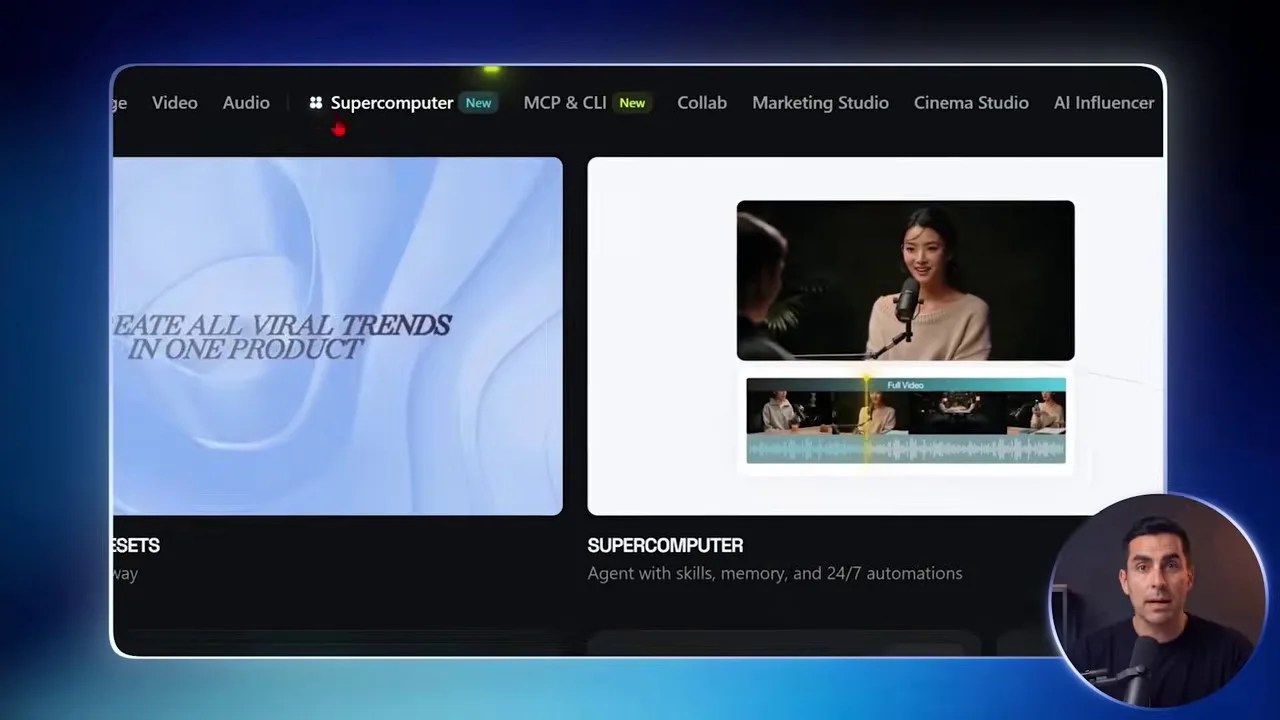
Higsfield’s Supercomputer setup page provides a clean, specialized workspace designed to handle complex media generation pipelines.
When you feed the exact same multi-step fashion campaign prompt into Higsfield’s agent, the system doesn’t just stop at generating text or raw prompts. It orchestrates a synchronized team of specialized AI agents. One agent handles the initial market research, another drafts the copy, a third generates the highly detailed visual assets, and a final agent compiles everything into a cohesive video output.
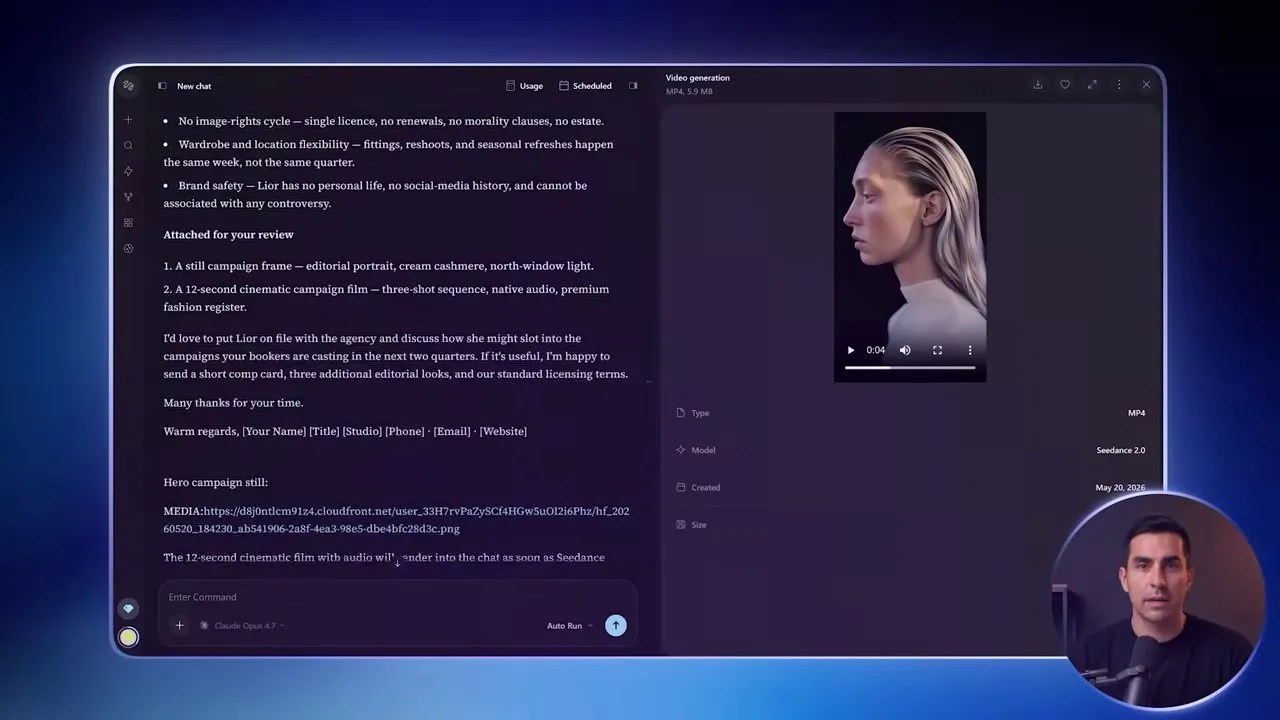
Higsfield automatically coordinates multiple underlying agents to turn static concepts into dynamic video and audio assets.
By leveraging advanced video generation models like Kling or CogVideo (which automated transcription services often mislabel as “Cance”), Higsfield automatically converts static image concepts into realistic video clips complete with synchronized audio.
What makes this ecosystem incredibly exciting is its community-driven design. Users can upload and share “skills”—which are essentially pre-built, optimized workflows that you can clone and execute instantly. Furthermore, you can use built-in connectors to link these generation pipelines directly to external apps, allowing you to automate your entire content creation cycle from a single trigger.
8. Generating High-End Images Directly in Arena
If you prefer to keep your entire creative workflow centralized inside a single tab, you don’t actually have to leave Arena. While its agent workflow is more text-centric, you can generate stunning images directly inside the platform’s Direct Chat interface.
To do this, simply head back to your Direct Chat tab and open the model selector. Switch your focus to the image generation engines. Just like we did with text, your best move here is to bypass the guessing game and consult the live rankings.
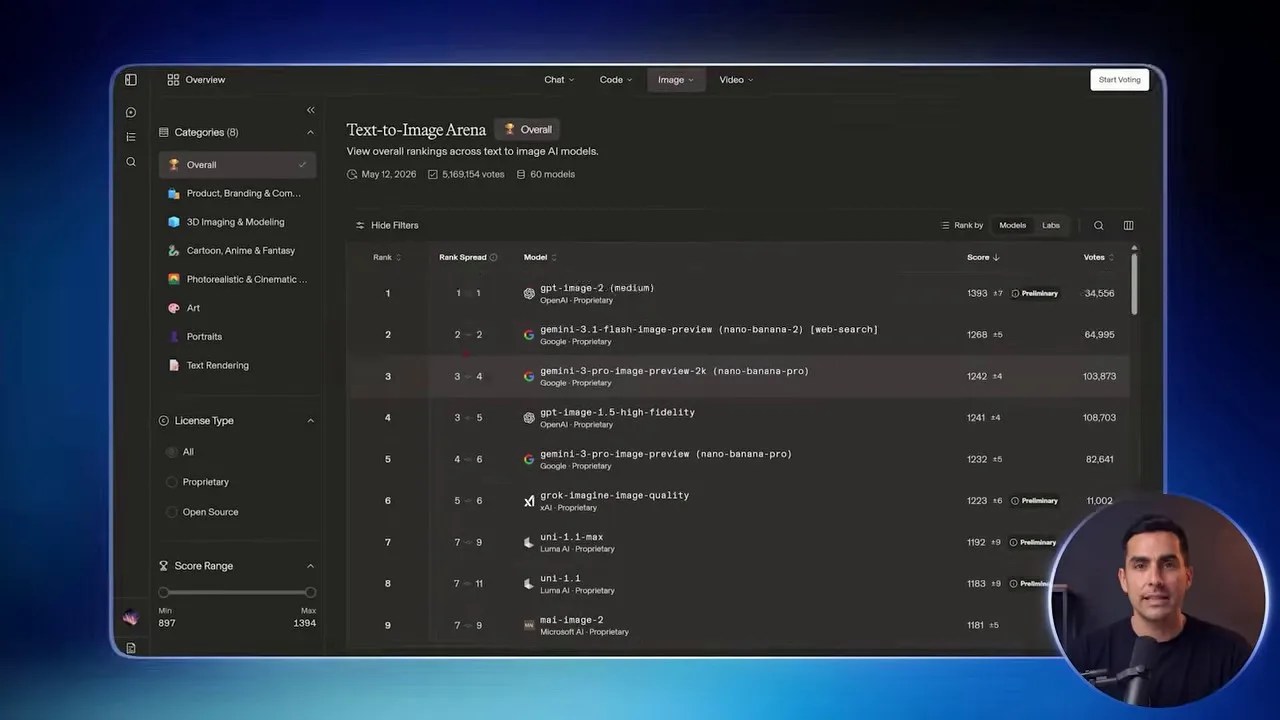
The Text-to-Image leaderboard ranks the absolute best image generation models based on millions of blind community comparisons.
Once you see which model is currently dominating the visual charts, copy its name, paste it into your Direct Chat model selector, and start prompting.
The best part? This entire image generation pipeline is completely free. There are no credit cards to link, no subscription tiers, and no hidden token costs. The only real constraint is platform load. If you run a high volume of complex generations in a short period, the system might ask you to take a brief pause. If this happens, a simple pro-tip is to switch to the next available model in the leaderboard rankings and keep working without interruption.
9. The Multimodal Powerhouse: Analyzing Files and PDFs
Modern workflows require more than just typing text into a blank box. Often, you need an AI to analyze a complex 50-page PDF report, extract data from a financial spreadsheet, or critique a UI design mock-up.
Arena handles these multimodal tasks effortlessly. Located directly next to the prompt input bar is a versatile Add Files button.
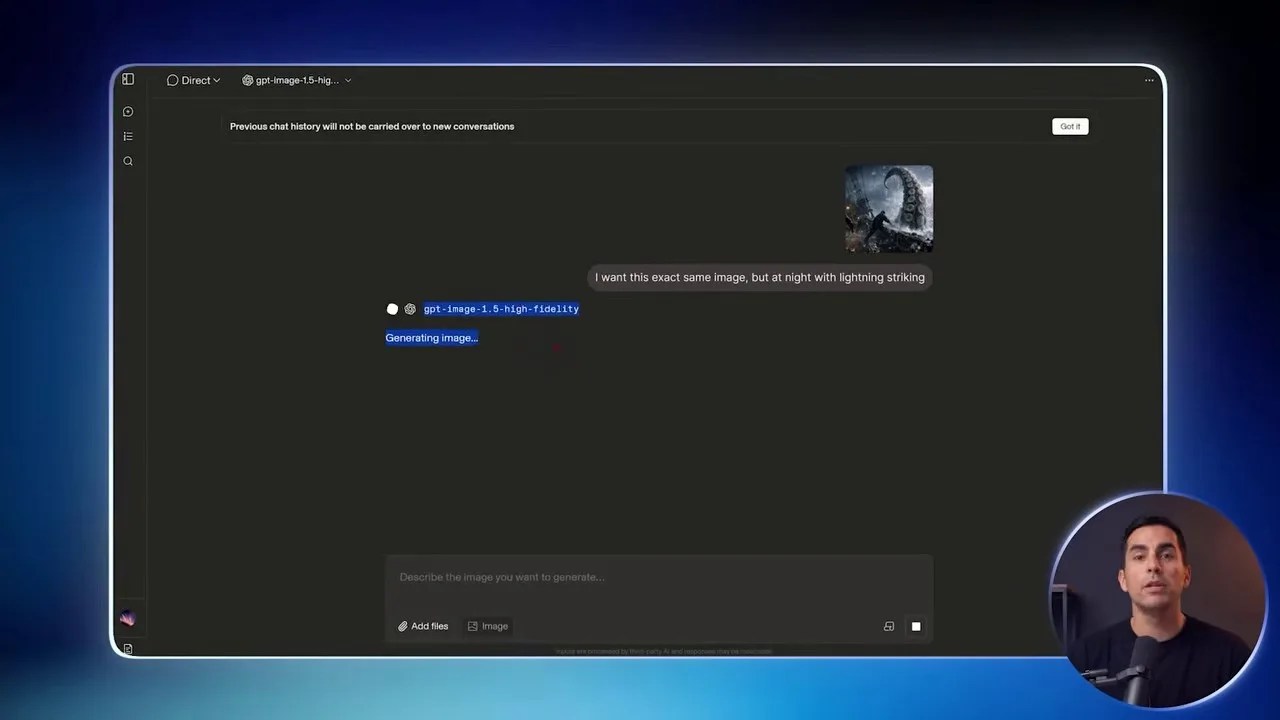
The file upload button allows you to feed PDFs, images, and documents directly to the world’s most powerful reasoning models.
By uploading your files directly into the interface, you can leverage top-tier models like Claude 3.5 Sonnet or GPT-4o to perform deep-dive analysis, summarize long documents, or write code based on visual wireframes. This effectively replaces paid features like ChatGPT’s “My GPTs” or Claude’s “Projects” without costing you a single penny.
10. Video Battle Mode: Double the Visual Output
Video generation inside Arena operates under a slightly different framework. Because rendering video is incredibly resource-intensive, you cannot run it directly inside the single-model Direct Chat tab. Instead, you need to head over to the specialized Video Battle Mode.
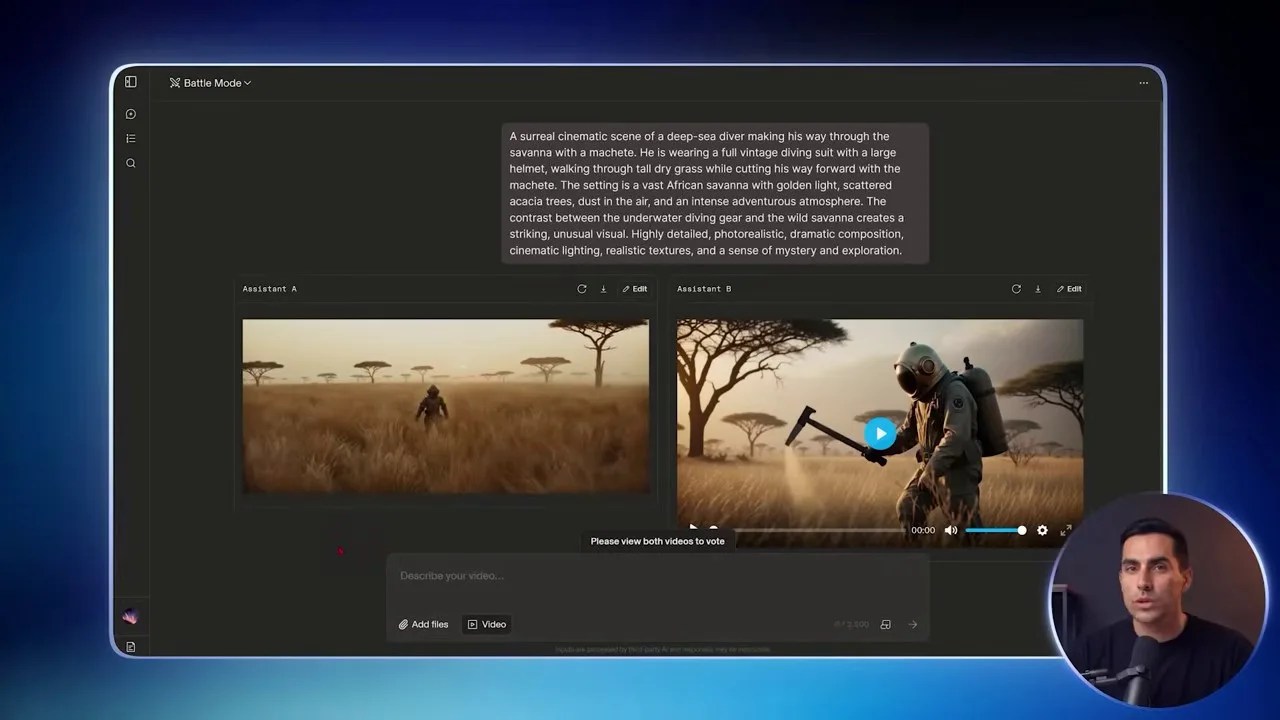
Video Battle Mode generates two distinct video outputs for every single prompt, giving you multiple creative directions to choose from.
When you input a video prompt, Arena sends the request to two different anonymous video models simultaneously. Within a few moments, you are presented with two distinct video outputs generated from your single prompt.
This side-by-side generation is incredibly efficient for creative brainstorming. You get to compare two completely different visual interpretations, vote on the superior render, and download the high-quality file of whichever output you prefer. Because video rendering consumes significant computing power, I highly recommend using the text and image tools first to refine your concept before committing to a video prompt.
11. Coding & Real-Time App Building
For developers, engineers, or hobbyists looking to build software, Arena features one of the most powerful coding environments available online. By activating the Code option inside the Direct Chat menu, you gain access to models specifically optimized for software development.
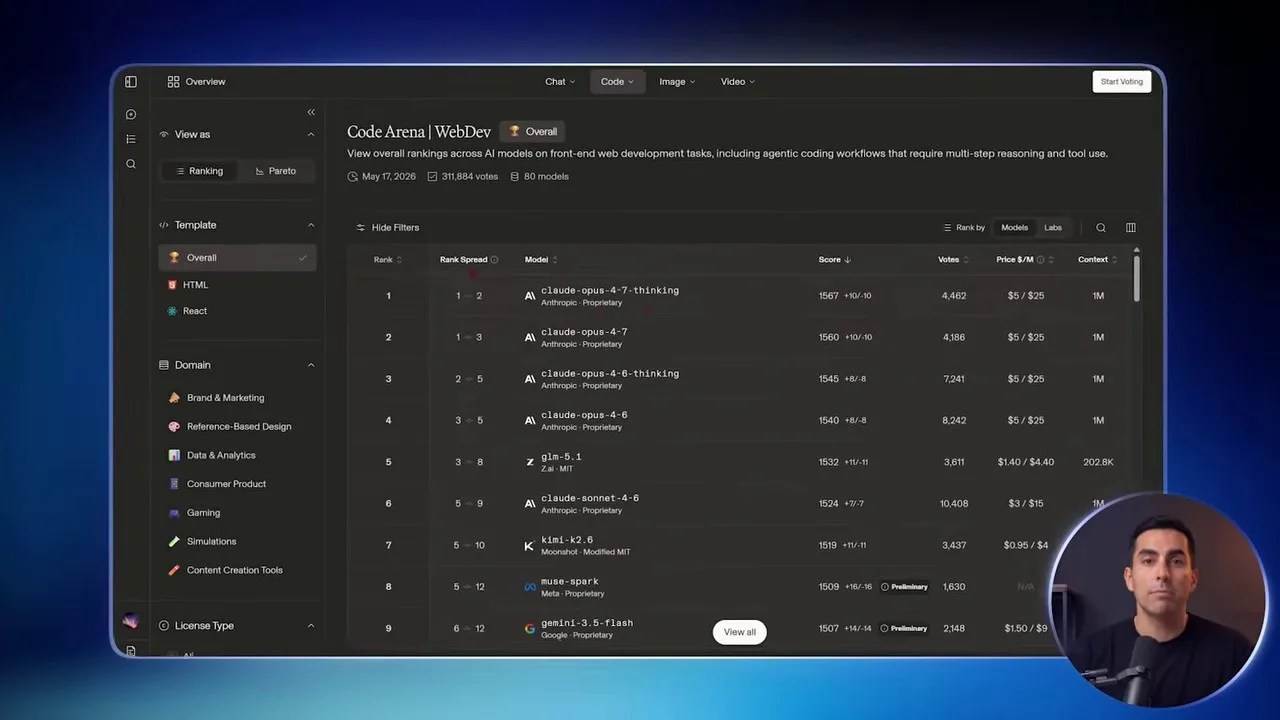
The real-time code execution environment lets you build, test, and play games or web apps directly inside your browser window.
What sets this apart from standard chat interfaces is that Arena doesn’t just output flat blocks of code for you to copy and paste elsewhere. It features an integrated execution environment. If you ask a model to build a simple arcade game or a functional web application, you can actually launch, test, and play with the working software in real time directly inside the platform window. If something doesn’t work, you simply point out the bug in the chat and watch the model iterate and patch the code live.
12. Mobile Optimization: Free AI on the Go
If you prefer to work from your phone or tablet, the entire Arena ecosystem is fully responsive and optimized for mobile browsers. You don’t need to download any sketchy apps from the app store that bombard you with subscription pop-ups.
The mobile interface retains all the functionality of the desktop version. The only minor layout difference is that the left-hand sidebar is collapsed into a clean menu button in the top-left corner. Tapping this menu gives you instant access to the live leaderboards, allowing you to check rankings, copy model names, and run elite free AI models directly from your phone while on the move.
13. Bonus Resources & Free Web Tools
To make this transition even easier, you can access a dedicated repository of free companion resources online. These include step-by-step PDF guides, pre-optimized prompt templates, and direct links to all the platforms discussed.
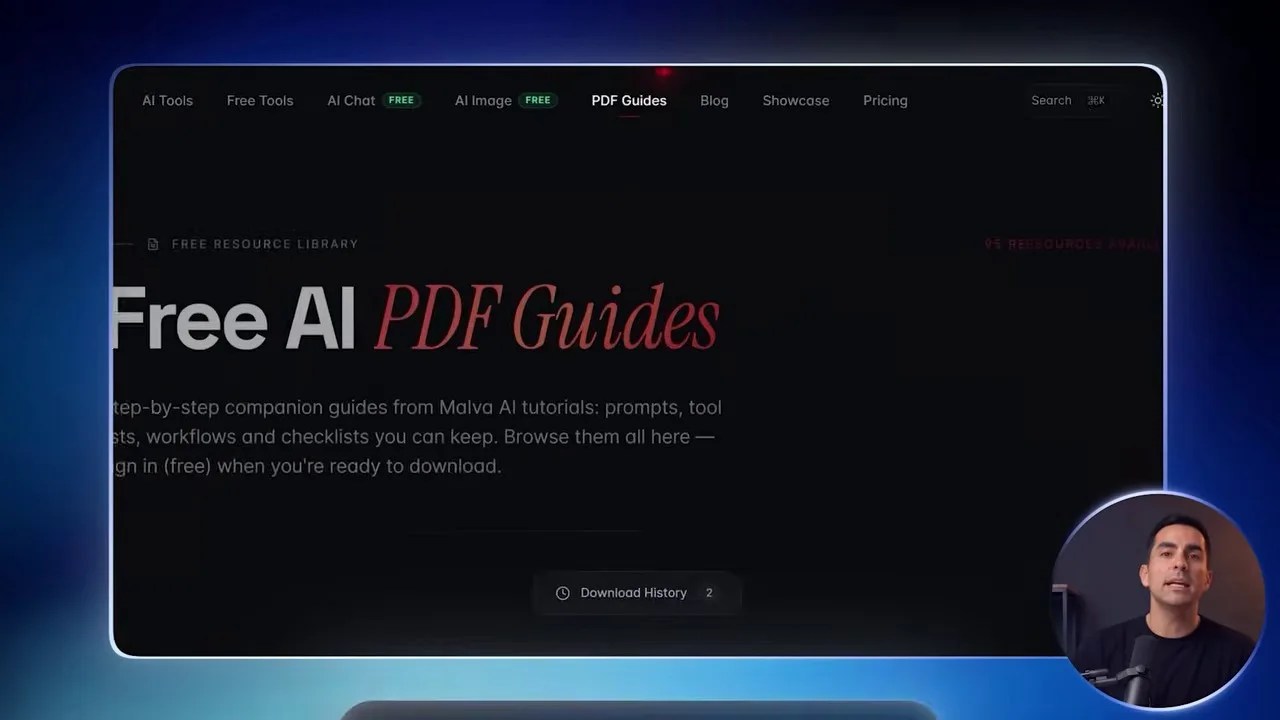
Companion resource websites offer downloadable PDF guides, prompt templates, and additional free web tools to streamline your workflow.
These resources are designed to save you time. Instead of manually writing out complex prompts or trying to remember model names, you can simply download the guides, copy the exact prompt structures, and paste them directly into your Arena workspace to get immediate, professional-grade results.
14. Conclusion: Reclaim Your Creative Freedom
The era of paying $20/month for artificial scarcity is officially over. By leveraging platforms like LMSYS Chatbot Arena and Higsfield, you can bypass commercial paywalls and access a vast ecosystem of free AI models for text, images, video, and coding.
Whether you are a developer testing complex code, a designer rendering visual concepts, or a writer crafting high-converting copy, these tools give you the keys to the kingdom without demanding a credit card. Stop paying for raw compute that the academic and open-source communities are giving away for free. Set up your Arena workspace today, bookmark the live leaderboards, and take control of your creative pipeline.
Frequently Asked Questions (FAQ)
1. Is LMSYS Chatbot Arena really free to use?
Yes, it is 100% free. The platform is run as a non-profit joint research project by top-tier universities (UC Berkeley, UCSD, and CMU). Tech companies actively donate their API access and computing power to the platform because they rely on the crowdsourced human votes to rank and improve their models.
2. Why do some models occasionally show as “saturated” or offline?
Because Arena is a shared public research platform, high-demand models can occasionally experience temporary traffic spikes or API rate limits. If a model is temporarily unavailable, simply consult the live leaderboard and select the next highest-ranking model. The performance difference at the top tier is usually negligible.
3. Can I use the images and videos generated in Arena for commercial projects?
Yes. The outputs generated by the models on Arena are subject to the terms of the underlying model providers (like OpenAI, Anthropic, or Meta). Generally, open-source and public-domain models allow for commercial use of their outputs, but you should always verify the specific license of the model you select if you plan to use the assets in commercial campaigns.