If you have spent even five minutes trying to generate AI videos recently, you already know the painful truth: most tools are credit-guzzling black holes. They promise Pixar-level cinematic magic with a single prompt, but instead, they quietly burn through your monthly subscription budget while delivering a glitchy, mismatched mess. It is the wild west of synthetic media, and right now, everyone is claiming to have the ultimate “AI video agent.”
But who is actually delivering on that promise, and who is just selling expensive smoke and mirrors?
To find out, I put three of the most talked-about best AI video agents on the market today to a brutal, side-by-side test: InVideo Agent, HeyGen Agent, and the highly anticipated Higgsfield Supercomputer (which the automated transcripts often hilariously misidentify as “Pictory”).
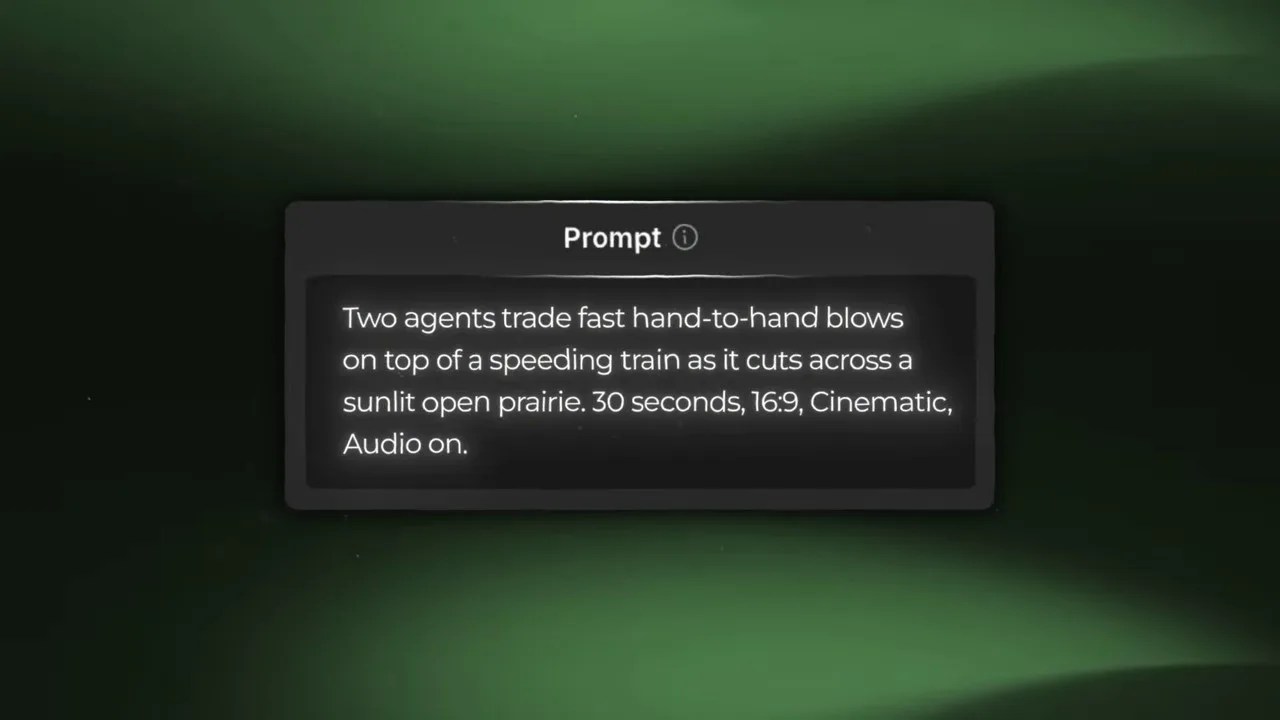
The ultimate 2026 showdown: Putting InVideo, HeyGen, and Higgsfield to the test under identical conditions.
To keep this showdown absolutely fair, I threw out all the marketing fluff. I tested each agent using the exact same prompt, identical settings, and a locked target output: a 30-second video, rendered in a 16:9 widescreen format, with audio turned on. No special treatment, no premium bypasses. Just raw, unfiltered performance scored across three critical battlegrounds: Cost/Credit Transparency, UI Clarity, and Workflow Quality.
⚡ Quick Snapshot: The Scorecard So Far
Before we dive into the gritty details of how these engines run under the hood, let’s look at the preliminary scores from our first two rounds of testing. If you are looking to deploy these best AI video agents for commercial workflows, these two metrics will make or break your daily operations.
| AI Video Agent | Credit Transparency (Out of 10) | UI Clarity & Control (Out of 10) | Key Takeaway |
|---|---|---|---|
| InVideo Agent | 6 / 10 | 8 / 10 | Decent real-time updates, but leaves you in the dark about actual generation costs. |
| HeyGen Agent | 5 / 10 | 8 / 10 | Slick interface, but suffers from phantom credit drains and a non-functional stop button. |
| Higgsfield Supercomputer | 9 / 10 | 10 / 10 | The gold standard for user control. Upfront pricing consent and a stop button that actually works. |
💸 Round 1: The Credit Check (Cost Transparency)
Let’s talk about money. When you are dealing with autonomous AI agents that generate multiple assets—scripts, voiceovers, storyboards, and individual video clips—they can burn through your subscription credits faster than a high-frequency trading algorithm. If an agent doesn’t tell you what a generation costs before it starts rendering, you aren’t using a tool; you are gambling.
InVideo: The Silent Burner
I started by dropping our master test prompt into InVideo. The agent immediately sprang to life, displaying a flurry of backend activity. It is exciting to watch, but then the anxiety kicks in.
InVideo gives you absolutely zero warning about how many credits the upcoming generation is going to shave off your balance. You are essentially forced to sit back and watch your account balance tick downward without any prior consent or granular breakdown. It does the job, sure, but this lack of financial transparency is a massive red flag for professional creators. I had to give it a conservative 6 out of 10.
HeyGen: The Phantom Drainer
Next up was HeyGen. Honestly? It felt like a step backward. Not only does HeyGen share the same frustrating lack of upfront pricing transparency as InVideo, but its actual generation loop is incredibly punishing on your wallet.
During my testing, the agent would frequently trigger auto-regenerations that didn’t actually change or improve the visual output, yet still happily deducted credits from my account. Wasting hard-earned credits on identical, repetitive processes is a cardinal sin in production workflows. HeyGen gets a painful 5 out of 10 here.
Higgsfield: The Respectful Partner
Then I loaded up the Higgsfield Supercomputer, pasted the exact same prompt, and braced myself. What happened next should be the industry standard for all best AI video agents.
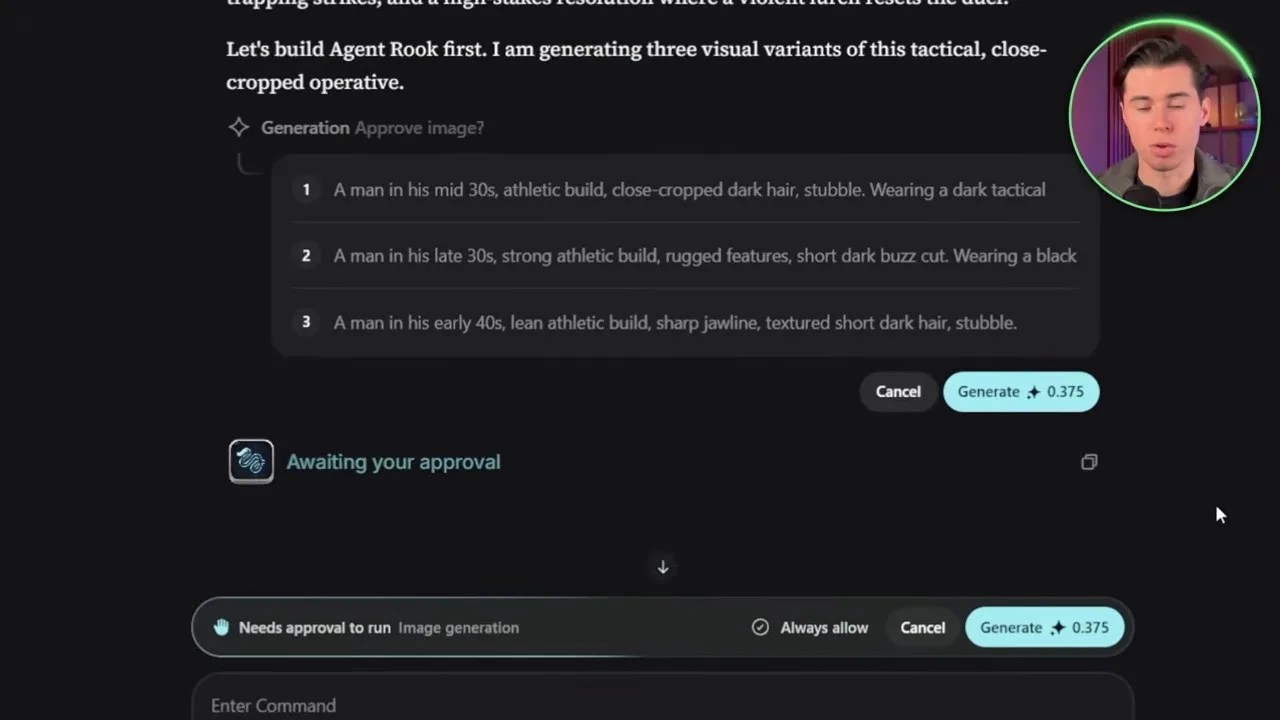
Higgsfield changes the game by showing you the exact credit cost and waiting for your explicit approval before rendering.
Instead of blindly running off with my credit balance, Higgsfield paused. It mapped out the required steps, calculated the exact resource cost, and presented a clear confirmation prompt: This action will cost X credits. Do you want to proceed?
This simple checkpoint changes everything. It gives the creator absolute control over their budget. If a prompt looks slightly off or if you change your mind, you can back out without losing a dime. I scored Higgsfield a stellar 9 out of 10, holding back a perfect score only because I’d love to see an even more granular, itemized breakdown of costs per clip in the future.
🖥️ Round 2: UI Clarity & The “Panic Button” Test
A beautiful interface is useless if it behaves like a black box. When an AI agent is generating a 30-second video, it is executing dozens of micro-tasks simultaneously. As a user, you need to know exactly what step the machine is on, and more importantly, you need a way to kill the process if things start going off the rails.
InVideo handles the visual feedback beautifully. As the agent runs, the UI displays real-time status updates: “Generating character images,” “Building the storyboard,” “Rendering scene 3.” This constant stream of feedback builds a strong sense of security and keeps the creative process engaging. It easily earned an 8 out of 10.
HeyGen also features a gorgeous, modern interface with great real-time task tracking. But during my testing, I hit a massive roadblock: the stop button didn’t work.
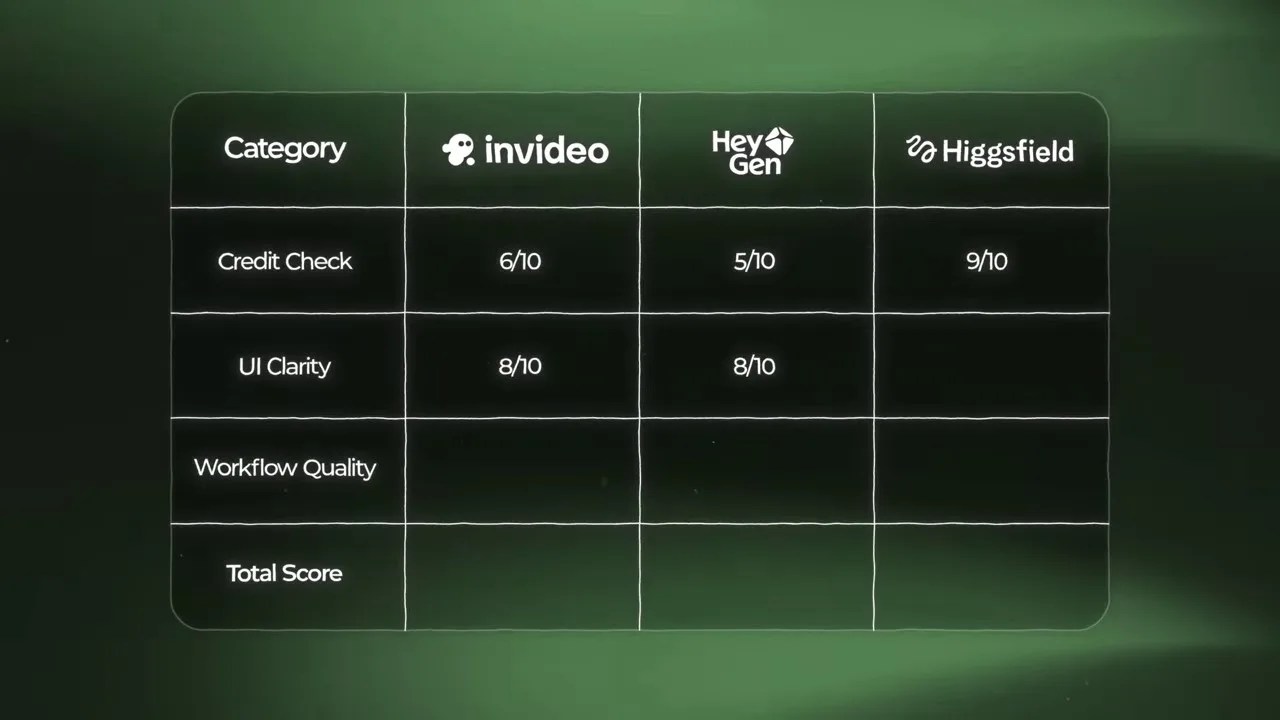
Real-time task tracking is great, but a stop button that actually stops the credit drain is what separates the toys from the professional tools.
When you see an AI agent generating a character with three arms or completely misinterpreting your art style, you need to hit “Stop” immediately to save your credits. Clicking HeyGen’s stop button felt like pressing the “Close Door” button in a sketchy elevator—it gave the illusion of control while the machine kept right on rendering and spending my credits. Because of this fatal flaw, HeyGen couldn’t score higher than an 8 out of 10.
Higgsfield, on the other hand, nailed the execution. It offers the same detailed, real-time visual progress as its competitors, but when you click “Stop” on Higgsfield, it actually stops instantly. The process terminates, the credit drain halts, and you are free to adjust your prompt. That single, functional feature is the difference between a frustrating toy and a reliable enterprise tool. Higgsfield walks away from Round 2 with a flawless 10 out of 10.
🎬 Round 3: Workflow Quality — The Battle for Cinematic Continuity
Let’s be real: you can have the most transparent pricing and the prettiest interface in the world, but if the final render looks like a glitchy fever dream, the tool is useless. This is where we separate the serious production tools from the simple toys.
The secret to a great AI-generated video lies in continuity. If your character’s face, clothing, or the surrounding environment changes with every single cut, the illusion is instantly shattered. Let’s see how our three contenders handle the complex task of structuring a coherent narrative workflow.
InVideo: High-Quality Assets, Zero Connection
To InVideo’s credit, its workflow structure starts off strong. It correctly separates the creative pipeline by generating your character assets first, and then mapping out a comprehensive storyboard. That is exactly how a human director would do it.
The fatal flaw, however, happens right after the storyboard is approved. Instead of rendering each clip sequentially—using the previous scene as a visual reference—InVideo tries to render all 10 storyboard scenes simultaneously in parallel.

InVideo’s parallel generation workflow speed-renders clips at the cost of character continuity and narrative flow.
The result? A massive lack of continuity. When you watch the final output, the cuts feel completely disconnected. The main character’s face shifts slightly from shot to shot, and the environmental lighting jumps around erratically. While the individual visual quality of each isolated shot is impressively high, the actual assembly of those shots into a cohesive story is incredibly jarring. It feels like a montage of random stock footage rather than a planned film. I rate InVideo’s workflow a disappointing 6 out of 10.
HeyGen: The Illusion of Control
HeyGen offers a similar storyboarding step, but the actual execution is where things fall apart. The biggest frustration I encountered was that the agent simply refused to apply manual edits.
For example, when I explicitly instructed the agent to generate two distinct avatars in a scene, it repeatedly ignored the prompt and returned only one. Furthermore, HeyGen does not allow you to generate characters and locations separately. This leaves you with almost zero granular control over the individual visual elements in your scene. Instead of feeling like you are directing an assistant, it feels like you are fighting a stubborn machine that only gives you about 50% of what you actually asked for. HeyGen lands a rough 4 out of 10 here.
Higgsfield: The Sequential Masterclass
This is where Higgsfield completely redefines what the best AI video agents should be capable of. Instead of forcing you to accept a single random generation, Higgsfield’s workflow is built entirely around user agency and sequential logic.
First, it generates three distinct character design options for your first avatar and lets you pick the best one. Then, it repeats this exact process for your second avatar, and once more for the environment. You lock in each element step-by-step before a single frame of video is even rendered.

Higgsfield uses sequential rendering, referencing the previous frame to maintain flawless character and lighting continuity.
But the real magic happens during the video rendering stage. Unlike InVideo’s parallel rendering, Higgsfield generates its video clips sequentially. As it renders Scene 2, it actively uses Scene 1 as a visual reference anchor.
This sequential loop ensures that your characters never drift, their clothing remains identical, and the environmental lighting matches perfectly across cuts. The final output is incredibly cinematic, beautifully paced, and genuinely immersive. For delivering true narrative continuity, Higgsfield earns a highly deserved 8 out of 10.
🏆 The Verdict: Which AI Video Agent Reigns Supreme?
After running these three platforms through identical, grueling tests, the final verdict is crystal clear.
While InVideo offers a polished interface and HeyGen remains a solid choice for basic talking-head presentations, they both fall short when tasked with complex, multi-character narrative generation. Their lack of pricing transparency, non-functional stop buttons, and poor character continuity make them highly unpredictable and expensive to run at scale.
Higgsfield is the undisputed champion of this showdown. By prioritizing cost transparency, real-time user control, and sequential rendering logic, it has solved the biggest pain points plaguing modern AI video generation. It is the only tool in this lineup that feels like a true professional-grade assistant designed to save your time—and your wallet.
💡 Frequently Asked Questions (FAQ)
1. Why is character continuity such a massive issue for AI video generators?
Most AI video generators render clips in isolation (parallel rendering) without sharing data between scenes. Because the AI re-interprets your prompt from scratch for every single shot, subtle details like facial structure, clothing textures, and lighting angles drift, destroying the visual continuity of your project.
2. How does Higgsfield’s sequential rendering save subscription credits?
Higgsfield allows you to approve character designs and environments before rendering video. Because you lock in these assets early on, and because the engine references the previous clip during generation, you get highly accurate, consistent scenes on your first try, eliminating the need for expensive, credit-wasting retakes.
3. Can I use these AI video agents for long-form content?
While these agents are optimized for short, highly dynamic clips (typically 30 to 60 seconds), tools like Higgsfield make it much easier to stitch multiple scenes together into longer narratives because they maintain strict asset and character continuity across different generation blocks.